
Choosing between a home battery backup vs portable power station is more complicated than comparing battery capacity or price. Modern portable systems can support 120V/240V loads, expand with additional batteries, and integrate with household electrical panels, while permanently installed systems offer a different approach to backup power. These overlapping capabilities make it difficult to determine which solution actually fits a home’s electrical needs.
This guide compares portable power stations, modular home backup systems, and permanently installed residential batteries. We evaluate five selected EcoFlow, Anker, and BLUETTI configurations based on capacity, continuous output, home integration, expansion options, and practical limitations. Rather than treating all systems as interchangeable, we explain what each configuration can support and which buyers should consider it.
As an Amazon Associate, I earn from qualifying purchases.
Table of Contents
Quick Answer
If you need higher-power 120V/240V backup, consider the EcoFlow DELTA Pro Ultra. It stands out among our five selected configurations for its 7,200W continuous AC output and 6,144Wh base capacity. Its main limitation is that a complete home-backup installation may require additional compatible equipment and electrical work.
For buyers prioritizing home-panel integration, the Anker SOLIX F3800 Plus + Home Power Panel is worth considering because the selected bundle includes the Home Power Panel. If you prefer a standalone portable station with a 4kWh starting capacity, consider the EcoFlow DELTA Pro 3. The Anker’s key consideration is the specific bundle and its installation requirements; the DELTA Pro 3 offers less continuous output than the DELTA Pro Ultra.
If you want a modular system, the BLUETTI Apex 300 allows you to start with a smaller battery configuration and expand later, while the BLUETTI Apex 300 + B500K provides 7,884.8Wh of combined storage for longer runtime without increasing the Apex 300’s 3,840W continuous AC output. The additional battery increases stored energy, not the amount of power the inverter can deliver at one time. These five options are portable or modular systems; buyers seeking a permanently installed residential battery should evaluate a dedicated home energy storage system instead.
Our Evidence & Evaluation Method
Our evidence review draws on six information areas relevant to residential backup power: capacity, output, charging, portability, runtime, and reliability. We use manufacturer specifications, technical documentation, independent test results where available, and clearly identified runtime calculations to establish the documented capabilities and limitations of each selected system.
| Evidence Area | Information Reviewed and Source Basis |
|---|---|
| Capacity | Rated and expandable battery capacity, including usable energy where documented. Sources: manufacturer specifications and technical documentation. |
| Output | Continuous AC output, surge ratings, voltage configurations, and documented operating modes. Sources: manufacturer specifications, technical documentation, and independent measurements where available. |
| Charging | AC, solar, and vehicle charging specifications, including supported input limits and charging configurations. Sources: manufacturer specifications and technical documentation. |
| Portability | Published weight, physical dimensions, modular configuration, and placement requirements. Sources: product specifications and manufacturer documentation. |
| Runtime | Calculated operating-time estimates based on documented battery capacity and clearly stated household load assumptions. Sources: published specifications and transparent calculations. |
| Reliability | Battery chemistry, documented cycle-life information, warranty terms, and available independent reports. Sources: manufacturer warranty documentation, technical information, and independent reports where available. |
How We Interpret the Evidence
Manufacturer specifications establish the published capabilities of each product, but they do not automatically demonstrate how a system will perform in every home. Independent measurements are considered separately and only when they are available for the specific model or configuration being evaluated. We distinguish documented manufacturer ratings from independently measured results rather than treating them as equivalent evidence.
Runtime estimates are calculations, not physical test results. Actual operating time depends on load, inverter efficiency, conversion losses, operating conditions, and the equipment connected to the system. Where the manufacturer does not specify usable battery capacity, we do not assume that the full rated capacity is available to connected AC loads.
We also evaluate each product in its selected Amazon US configuration. This distinction matters when a listing includes an expansion battery, home integration equipment, or other accessories that change the capabilities and purchase value of the package. Our assessment therefore reflects the specific configuration being considered rather than assuming that every listing for the same product name includes identical equipment.
Who This Guide Is For
Who Should Read This
This guide is for U.S. homeowners comparing portable power stations, modular home backup systems, and permanently installed residential batteries. It is particularly useful if you want to understand the differences in battery capacity, continuous output, 120V/240V support, home electrical integration, expansion options, and installation requirements before choosing a backup solution.
It is also relevant if you are considering a high-capacity portable system for selected household circuits and want to understand how it compares with a dedicated home battery installation.
Who Should Use Another Guide
If you already know which type of backup system you need and simply want to compare portable power station models, see our Best Portable Power Stations for Home Backup guide.
If your priority is a permanently installed residential battery system rather than a portable or modular solution, our Best Home Battery Backup Systems guide is a more focused resource.
If you need to determine the total electrical capacity required to support your home’s circuits and major appliances, start with our Best Whole House Backup Power Systems guide and the relevant load-sizing resources.
Quick Summary: Our Top Picks
The five picks below represent portable and modular backup configurations. Permanently installed home batteries are discussed separately because their installation requirements, integration capabilities, and ownership costs are fundamentally different.
EcoFlow DELTA Pro Ultra
Award: Best for Higher-Power 120V/240V Home Backup
Best For: Homeowners who need higher continuous output for demanding household backup loads.
Key Reason: A modular power station and battery system designed to provide high-output backup power with room for capacity expansion.
Main Limitation: A complete home backup setup may require additional compatible equipment and professional electrical installation.
Anker SOLIX F3800 Plus + Home Power Panel
Award: Best for Buyers Prioritizing Included Home Panel Integration
Best For: Buyers who want a portable backup system bundled with home integration equipment.
Key Reason: Combines a 3,840Wh portable power station with a Home Power Panel in the selected Amazon configuration.
Main Limitation: Home integration depends on compatible electrical equipment, installation requirements, and the circuits supported by the configured system.
EcoFlow DELTA Pro 3
Award: Best for a Standalone 4kWh 120V/240V Power Station
Best For: Buyers who want a substantial starting battery capacity and 120V/240V output in one portable unit.
Key Reason: Provides 4,096Wh of battery capacity and 4,000W of continuous AC output without requiring an expansion battery for the base configuration.
Main Limitation: Its 4,000W continuous output is lower than the DELTA Pro Ultra’s 7,200W rating.
BLUETTI Apex 300
Award: Best for Starting with a Smaller Expandable Battery Configuration
Best For: Buyers who prefer a lower-capacity starting configuration with the option to expand later.
Key Reason: A 2,764.8Wh portable power station that supports compatible B300K and B500K expansion batteries.
Main Limitation: Its base battery capacity provides less stored energy than the larger configurations in this comparison.
BLUETTI Apex 300 + B500K
Award: Best for Longer Runtime Without Increasing Inverter Output
Best For: Buyers who need a larger starting energy reserve for longer operation of compatible household loads.
Key Reason: Combines the Apex 300 with a 5,120Wh B500K expansion battery for 7,884.8Wh of total capacity while retaining the Apex 300’s 3,840W continuous AC output.
Main Limitation: The additional battery increases stored energy, not the inverter’s continuous output or the number of high-power loads the system can support simultaneously. The two-module configuration also requires substantial space and weighs approximately 182.99 lb combined.
Home Battery Backup vs Portable Power Station: Comparison Table
| Model | Capacity | AC Output | Weight | Best For |
|---|---|---|---|---|
| EcoFlow DELTA Pro Ultra | 6,144Wh | 7,200W | 181.8 lb* | Higher-power 120V/240V home backup |
| Anker SOLIX F3800 Plus + Home Power Panel | 3,840Wh | 6,000W | 136.7 lb** | Buyers prioritizing included home panel integration |
| EcoFlow DELTA Pro 3 | 4,096Wh | 4,000W | 113.5 lb | A standalone 4kWh 120V/240V power station |
| BLUETTI Apex 300 | 2,764.8Wh | 3,840W*** | 83.8 lb | Starting with a smaller expandable battery configuration |
| BLUETTI Apex 300 + B500K | 7,884.8Wh | 3,840W* | 182.99 lb* | Longer runtime without increasing inverter output |
* Combined weight of the main inverter/power station and battery modules.
** Power station weight; Home Power Panel weight is not included.
How We Evaluated Home Battery Backup vs Portable Power Station Systems
We evaluated the five selected configurations across ten criteria that determine how effectively they can serve different residential backup needs. Rather than ranking systems by battery capacity or advertised output alone, we compared their technical capabilities, configuration requirements, expansion options, and ownership considerations. Each criterion helps identify practical advantages, limitations, and trade-offs that may affect a buyer’s decision.
1. Energy Capacity
We compared the total rated battery capacity of each selected configuration in watt-hours (Wh). For systems that include expansion batteries, we distinguished the capacity of the base power station from the combined capacity of the complete configuration. This allowed us to assess how much additional stored energy each package provides.
Why it matters: Higher capacity can support longer operation, but it does not necessarily mean a system can power more appliances simultaneously. Buyers should consider battery capacity alongside inverter output and expected household consumption.
2. Usable Energy
We distinguished rated battery capacity from usable energy wherever sufficient information was available. Where usable capacity was not specified, we avoided assuming that the full rated capacity could be delivered to connected AC loads. We also considered how conversion losses and operating requirements affect the energy available to appliances.
Why it matters: The amount of energy stored in a battery is not necessarily the amount available to connected appliances. Understanding this distinction helps buyers make more realistic runtime estimates.
3. Inverter Capability
We compared continuous AC output, surge capability, and available voltage configurations, including 120V and 240V support. We also considered whether additional equipment is required to access specific output modes or connect a system to household circuits. Particular attention was given to the relationship between inverter output and the starting requirements of motor-driven appliances.
Why it matters: Inverter capability determines which loads a system can operate simultaneously. A larger battery cannot compensate for insufficient continuous output, inadequate surge capability, or incompatible voltage requirements.
4. Charging Speed
We compared supported AC and solar input limits, available charging configurations, and the charging capabilities of each selected system. We also considered whether advertised maximum input requires multiple power sources, optional accessories, or specific operating conditions.
Why it matters: Charging capability affects how quickly a system can replenish its stored energy between outages or during an extended power interruption. The practical benefit depends on the available power source and the system’s supported input configuration.
5. Portability
We assessed product weight, physical dimensions, modular construction, and the practical effort required to position or relocate each configuration. For systems consisting of multiple components, we considered the combined equipment rather than evaluating the main power station as if it were the entire setup.
Why it matters: A portable system may be easier to reposition or store, but heavier configurations can require a dedicated location and more effort to move. The complete system’s weight and layout matter more than the power station’s weight alone.
6. Solar Compatibility
We compared supported solar input, charging limits, and compatibility with solar panels and expansion equipment. We considered the electrical requirements of the supported configurations, including voltage, current, and connector compatibility, rather than relying on maximum solar wattage alone.
Why it matters: Buyers planning to recharge during extended outages need to know whether their existing or planned solar panels can work with the selected system. A high advertised solar input rating does not guarantee compatibility with every panel configuration.
7. Expandability
We examined compatible expansion batteries, documented system capacity limits, and whether adding components increases stored energy, inverter output, or both. We distinguished battery capacity expansion from inverter or power-output expansion because they provide different benefits and may involve different equipment requirements.
Why it matters: Additional batteries can extend runtime, but they do not automatically increase the power available to operate appliances simultaneously. Buyers should understand what a system actually gains from each expansion option before purchasing.
8. Warranty and Ecosystem
We compared documented warranty coverage, compatible accessories, expansion options, and the practical requirements of each manufacturer’s product ecosystem. We also considered whether essential home integration components are included in the selected configuration or must be purchased separately.
Why it matters: Warranty coverage and accessory requirements affect long-term ownership. Ecosystem compatibility also determines whether buyers can expand the system or add home integration equipment without replacing their original investment.
9. Value
We assessed value in relation to the capabilities and equipment included in each selected configuration, rather than comparing purchase prices alone. Our comparison considered battery capacity, continuous output, included accessories, expansion costs, and additional equipment required for the intended backup application.
Why it matters: A lower initial price does not necessarily result in a less expensive complete backup solution. Buyers should compare the total cost of achieving the same practical level of backup capability, including any necessary integration equipment or installation.
10. Use-Case Fit
We evaluated how well each configuration matches different residential backup priorities, including supporting essential appliances, providing 120V/240V output, extending runtime, and supplying selected household circuits. We also considered the additional equipment, installation requirements, and operating limitations associated with each intended use.
Why it matters: There is no single configuration that suits every home. The right choice depends on the appliances you need to power, their electrical requirements, expected outage duration, available budget, and the level of home integration you want.
How We Use These Criteria
We consider these ten criteria together rather than treating them as independent scores or ranking systems by a single specification. A configuration with greater battery capacity may provide longer runtime but still have limitations in inverter output. A portable system may deliver substantial power but require additional equipment and professional installation for household circuit integration. Similarly, a lower-cost base unit may become a more expensive solution after compatible expansion batteries or home integration equipment are added.
Our assessments therefore focus on the relationship between technical capabilities, configuration requirements, and practical buyer needs. We evaluate each product within its selected Amazon US configuration and identify the advantages and limitations that matter for its intended use. The resulting recommendations reflect the trade-offs between the five configurations rather than assuming that one system is the best choice for every household.
Our Top 5 Portable and Modular Backup Systems
EcoFlow DELTA Pro Ultra.
Best for Higher-Power 120V/240V Home Backup

Quick Verdict
The EF ECOFLOW DELTA Pro Ultra 6144Wh Power Station is a high-output modular home backup system built around a 6,144Wh LFP battery and a 7,200W continuous AC inverter with 120V/240V output. Its architecture is designed for buyers who need more than a conventional portable power station can provide, with the option to expand battery storage as backup requirements grow.
This system is worth considering for homeowners who want to support demanding household loads, including compatible 240V appliances, and are prepared to invest in the additional equipment required for home electrical integration. Its main advantage is the combination of substantial inverter output and expandable storage; however, the base configuration is not a complete whole-home backup installation. Home panel integration, transfer equipment, and professional electrical work may require additional purchases and planning.
Snapshot
| Specification | Details |
|---|---|
| Capacity | 6,144Wh |
| Battery Chemistry | LFP (LiFePO₄) |
| Continuous AC Output | 7,200W |
| Peak / Surge Output | 10,800W |
| Weight | 181.8 lb (inverter + battery) |
| Expansion | Up to 30kWh per inverter; up to 90kWh with three inverters |
Why We Chose It
The EF ECOFLOW DELTA Pro Ultra earns our Best for Higher-Power 120V/240V Home Backup award because it delivers the highest continuous AC output among the five configurations in this guide: 7,200W. This gives it an advantage for homeowners planning to run more demanding household loads or several compatible 120V and 240V appliances during an outage. Its output rating is the defining reason it stands out in this comparison, rather than battery capacity alone.
The system’s modular architecture adds another important advantage: a single inverter can support up to 30kWh of battery capacity, allowing buyers to increase stored energy as their backup requirements grow. Larger configurations can reach up to 90kWh with three compatible inverters and the required integration equipment. This makes the DELTA Pro Ultra particularly relevant for homeowners planning a substantial, expandable backup system. The trade-off is the additional investment, space, and electrical planning needed to build that system beyond the base configuration.
Check the latest price and customer reviews on Amazon.

Practical Considerations
The base DELTA Pro Ultra consists of two separate modules: a 70 lb inverter and a 111.8 lb battery, weighing approximately 181.8 lb combined. Although they can be handled separately, their size and weight make this system better suited to a planned installation than frequent relocation. Buyers should identify a suitable location, such as a garage or utility area, before delivery.
For household backup, the system can support selected circuits when paired with compatible home integration equipment. However, the base Amazon configuration does not include everything needed for a complete home installation. Buyers should budget for the required panel or transfer equipment and professional electrical work, particularly if they intend to connect the system to their household circuits.
Evaluation
| Evaluation Factor | This Model | How It Compares | Buyer Implication |
|---|---|---|---|
| Output Capability | 7,200W continuous | Highest among the five selected configurations | Better suited to higher simultaneous household power demands |
| Base Battery Capacityy | 6,144Wh | Second-base battery capacity among the five selected configurations | Provides 6,144Wh of base battery capacity, but the BLUETTI Apex 300 + B500K configuration offers a larger 7,884.8Wh starting energy reserve. |
| Expansion Potential | Up to 30kWh per inverter | Supports substantial storage growth | Suitable for buyers planning a larger backup system over time |
| Installation Flexibility | Separate inverter and battery modules | Less convenient to relocate than smaller portable stations | Best suited to a planned, semi-permanent installation |
Who Should Buy This
The EF ECOFLOW DELTA Pro Ultra 6144Wh Power Station is a strong fit for homeowners who:
Need to run multiple demanding household loads, including compatible 240V appliances, during an outage.
Want a modular battery system that can grow beyond its initial 6,144Wh capacity as backup needs change.
Have a suitable location, such as a garage or utility area, for a substantial two-module system.
Are prepared to purchase compatible home integration equipment and arrange professional electrical installation if they want to connect selected household circuits.
Who Should Skip This
Consider another model if you:
Need a lightweight power station that can be moved frequently or stored away between outages.
Want a ready-to-use backup package without separately planning for home integration equipment and installation.
Have relatively modest backup needs that do not justify the system’s high output, physical size, and expansion potential.
Final Verdict
The EF ECOFLOW DELTA Pro Ultra 6144Wh Power Station makes the most sense for homeowners who need substantial 120V/240V output and want the option to build a larger modular backup system over time. Its key advantage is the combination of a 7,200W inverter and expandable battery architecture; its main drawback is that the base configuration is a heavy, substantial system rather than a complete, ready-to-install home backup solution. Choose it when higher output and long-term expansion justify the additional equipment, space, and installation requirements. Otherwise, a simpler portable or more integrated configuration may be a better fit.
Check the latest price and customer reviews on Amazon.
Related Guide: Planning to use a modular battery system for broader household backup? See our guide to Best Whole House Backup Power Systems (2026) to compare complete backup approaches and understand what it takes to support more of your home’s electrical loads.
Anker SOLIX F3800 Plus and Home Power Panel
Best for Buyers Prioritizing Included Home Panel Integration

Quick Verdict
The Anker SOLIX F3800 Plus Portable Power Station with Home Power Panel is a modular home backup solution for homeowners who want substantial 120V/240V power without moving directly to a permanently installed battery system. It combines a 3,840Wh LFP battery with 6,000W of continuous AC output.
This Amazon configuration includes the Home Power Panel, making it a relevant choice for buyers prioritizing household integration. It is best suited to homeowners prepared for the required installation and circuit compatibility checks, rather than those looking for a simple plug-and-play portable station.
Snapshot
| Specification | Details |
|---|---|
| Capacity | 3,840Wh |
| Battery Chemistry | LFP (LiFePO₄) |
| Continuous AC Output | 6,000W |
| Peak / Surge Output | Not specified by Anker |
| Weight | 136.7 lb (power station only) |
| Expansion | Up to 6 BP3800 expansion batteries; 26.9kWh total capacity |
The selected Amazon configuration includes the Home Power Panel. Its weight is not included in the power station’s listed weight.
Why We Chose It
The Anker SOLIX F3800 Plus Portable Power Station with Home Power Panel earns our Best for Buyers Prioritizing Included Home Panel Integration award because the selected Amazon configuration includes the Home Power Panel. Unlike the other four configurations in our shortlist, it gives buyers the station and its designated home integration panel in one bundle.
This is not the highest-output or highest-capacity option in our comparison. Its distinction is the included integration hardware, which makes it a strong choice for homeowners who prioritize connecting backup power to selected household circuits over maximizing battery capacity or inverter output.
Check the latest price and customer reviews on Amazon.
Practical Considerations
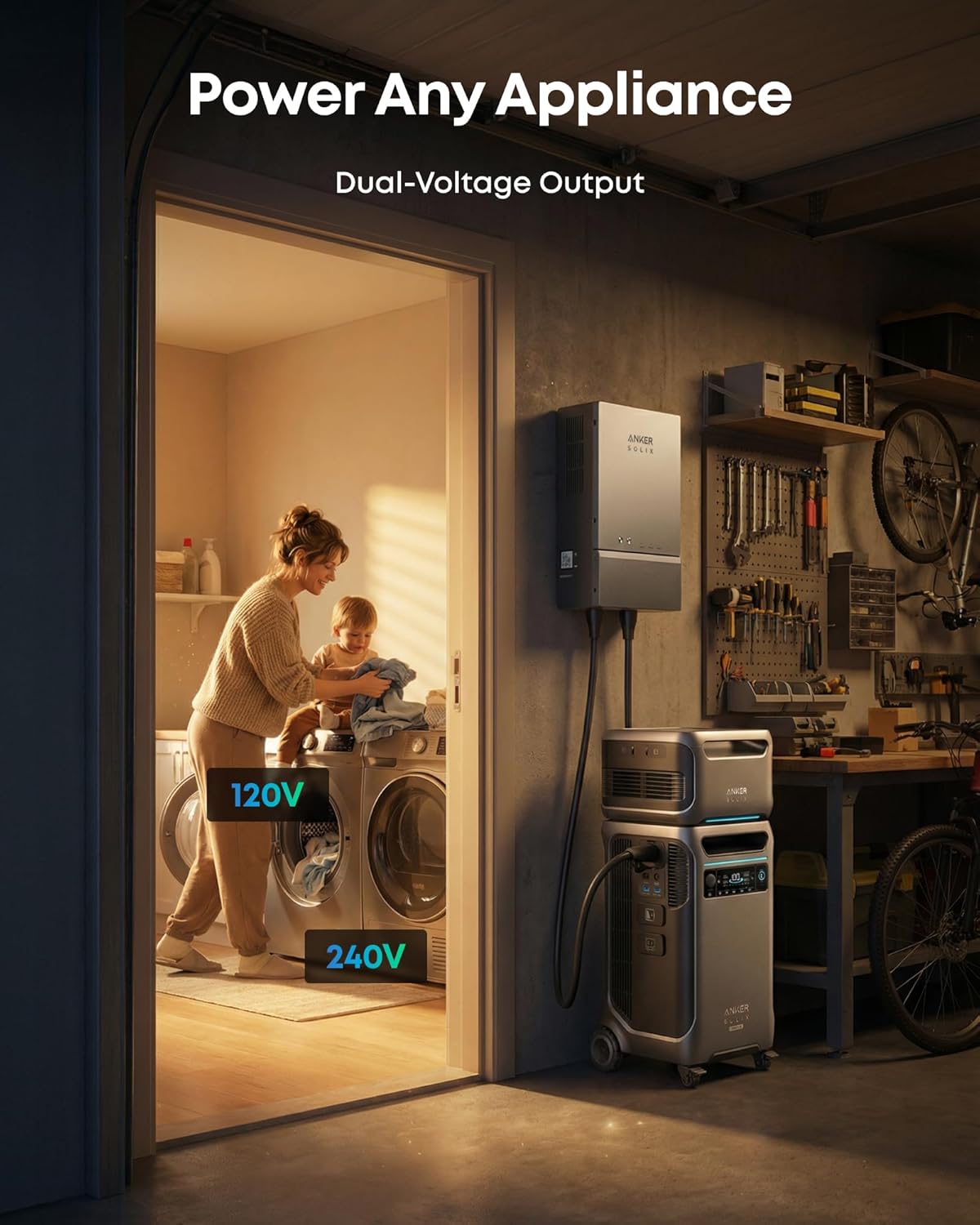
The F3800 Plus measures approximately 27.6 × 15.3 × 15.6 inches and weighs about 136.7 lb. Built-in wheels make it easier to reposition on a suitable level surface, but its size still calls for a planned storage location. The Home Power Panel is a separate wall-mounted component and needs its own installation space.
In everyday use, the panel provides a more organized way to supply backup power to selected household circuits. However, professional electrical installation and circuit compatibility checks are necessary, and the system does not automatically back up the entire house. When connected to the Home Power Panel, the station’s own AC input and output ports are disabled, so buyers should plan their setup around the panel.
Evaluation
| Evaluation Factor | This Model | How It Compares | Buyer Implication |
|---|---|---|---|
| Home Integration | Home Power Panel included | Unique among the five selected configurations | A more direct route to household circuit integration, but installation is still required |
| Power Capability | 6,000W continuous output | Second-highest among the five configurations | Suitable for substantial loads, subject to appliance and circuit compatibility |
| Starting Capacity | 3,840Wh | Mid-range within this shortlist | May require expansion for longer backup periods |
| Practical Mobility | 136.7 lb with built-in wheels | Heavier than the DELTA Pro 3 and base Apex 300 | Repositioning is possible, but frequent movement is impractical |
Who Should Buy This
The Anker SOLIX F3800 Plus Portable Power Station with Home Power Panel is a good fit for homeowners who:
Want a portable battery system with a Home Power Panel included in the selected bundle.
Need substantial backup output for multiple compatible household loads.
Prefer a modular system that can be expanded with compatible BP3800 batteries.
Have a suitable installation location and are prepared to arrange professional electrical work.
Who Should Skip This
Consider another option if you:
Need the highest continuous output available in this shortlist.
Prioritize maximum starting battery capacity without purchasing expansion batteries.
Want a simple plug-and-play station without a separate home panel installation.
Final Verdict
The Anker SOLIX F3800 Plus is the most compelling choice in this shortlist for buyers who value having the Home Power Panel included with their power station. That bundled integration hardware is its main advantage, but it does not eliminate installation requirements or make the system a complete whole-house backup solution. Choose it if household circuit integration is a priority and its 3,840Wh starting capacity meets your needs; if maximum output or longer runtime from the initial configuration matters more, another model in this comparison may be a better fit.
Check the latest price and customer reviews on Amazon.
Related Guide: Comparing portable power stations for household outage protection? See our guide to Best Portable Power Stations for Home Backup (2026) to explore other options for keeping essential home appliances running during a power outage
EcoFlow DELTA Pro 3
Best for a Standalone 4kWh 120V/240V Power Station

Quick Verdict
The EF ECOFLOW DELTA Pro 3 Portable Power Station, 4096Wh, 4000W AC Output is a high-capacity portable power station for homeowners who need substantial backup energy and both 120V and 240V output in a single unit. Its 4,096Wh LFP battery and 4,000W continuous AC output make it suitable for powering essential household appliances and compatible higher-demand equipment during an outage.
Unlike the Anker bundle, this configuration does not include a dedicated home integration panel. Its appeal is a more self-contained setup for buyers who primarily want a powerful standalone station, with the option to add compatible batteries or home integration equipment later if their backup needs change.
Snapshot
| Specification | Details |
|---|---|
| Capacity | 4,096Wh |
| Battery Chemistry | LFP (LiFePO₄) |
| Continuous AC Output | 4,000W |
| Peak / Surge Output | 8,000W |
| Weight | 113.54 lb |
| Expansion | Up to 12kWh with two compatible extra batteries |
Why We Chose It
The EF ECOFLOW DELTA Pro 3 Portable Power Station earns our Best for a Standalone 4kWh 120V/240V Power Station award because its 4,096Wh base battery provides substantial storage without requiring an expansion battery to reach the 4kWh class. It also delivers 4,000W of continuous AC output with 120V/240V support, giving homeowners a capable starting configuration for essential household backup.
Its appeal is the balance between capacity and output in a single station. The DELTA Pro Ultra offers higher inverter output, while the Anker F3800 Plus bundle prioritizes included home panel integration. The DELTA Pro 3 takes a different approach: it gives buyers a substantial standalone power source without making a larger modular installation the starting point.
Check the latest price and customer reviews on Amazon.

Practical Considerations
Measuring approximately 27.28 × 13.43 × 16.16 inches and weighing 113.54 lb, the DELTA Pro 3 is a substantial unit rather than something most people will want to lift or carry regularly. Its integrated wheels and handle make repositioning easier on suitable surfaces, but buyers should still plan a convenient storage location with access to the appliances or circuits they intend to back up.
During an outage, it can supply compatible 120V and 240V equipment directly through its outlets, making it useful for keeping selected household essentials running without a dedicated home panel in the base configuration. The main limitation is that its 4,000W output and 4,096Wh capacity still require careful load and runtime planning; buyers seeking broader household circuit integration or longer backup duration may need additional equipment or battery expansion.
Evaluation
| Evaluation Factor | This Model | How It Compares | Buyer Implication |
|---|---|---|---|
| Standalone Capacity | 4,096Wh | Larger than the base Apex 300 and Anker F3800 Plus configurations | Provides substantial starting storage without an expansion battery |
| Output Capability | 4,000W continuous | Lower than the DELTA Pro Ultra and Anker F3800 Plus | Suitable for substantial loads that do not require the highest output in this shortlist |
| Expansion Flexibility | Expandable with compatible batteries | Offers room to increase storage as backup needs grow | Buyers can start with the base unit and expand later |
| Portability | Wheeled, 113.54 lb unit | Easier to reposition than the heavier DELTA Pro Ultra configuration | Practical for occasional repositioning, but not frequent carrying |
Who Should Buy This
The EF ECOFLOW DELTA Pro 3 Portable Power Station is a good fit for homeowners who:
Want approximately 4kWh of battery capacity in a standalone configuration.
Need 120V/240V output for compatible household appliances.
Prefer to start with one power station and add compatible batteries later if needed.
Want a wheeled unit that can be repositioned occasionally within the home or garage.
Who Should Skip This
Consider another model if you:
Need higher continuous output for more demanding simultaneous loads.
Want a Home Power Panel included for household circuit integration.
Need a lighter unit for frequent lifting or transport.
Final Verdict
The EF ECOFLOW DELTA Pro 3 is a practical middle ground for homeowners who want substantial battery storage and 120V/240V capability in one standalone station. Its advantage is that the base configuration already provides a meaningful backup capacity without requiring an expansion battery; its limitation is that it does not offer the higher output of the DELTA Pro Ultra or the included home integration hardware of the Anker bundle. Choose it when a capable standalone power station is the priority, rather than maximum output or a panel-integrated setup.
Check the latest price and customer reviews on Amazon.
Related Guide: Not sure whether a 4,096Wh power station is enough for your household backup needs? Read our guide to What Size Power Station Do I Need? How to Calculate the Right Size to estimate the capacity and output required for your essential appliances.
BLUETTI Apex 300
Best for Starting with a Smaller Expandable Battery Configuration
Quick Verdict
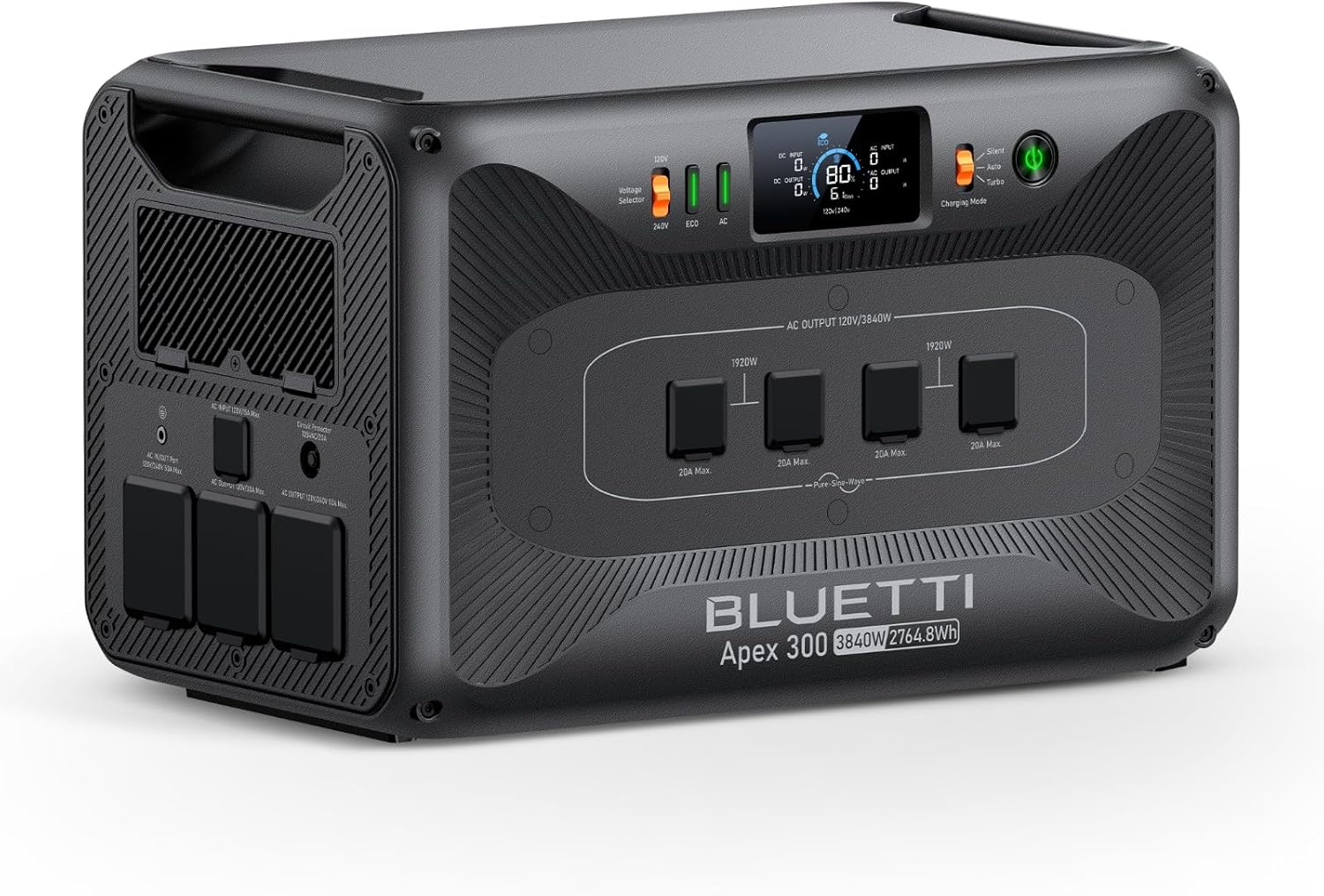
The BLUETTI Apex 300 is an expandable portable power station for homeowners who want substantial AC output without committing to a larger battery bank upfront. Its 2,764.8Wh LFP battery, 3,840W continuous output, and 120V/240V capability provide a flexible starting point for essential household backup.
Its main appeal is the ability to add compatible B300K or B500K expansion batteries as backup needs grow. This makes it particularly suitable for buyers who prefer to begin with a smaller system and invest in additional storage later, rather than paying for a larger battery configuration from the outset.
Snapshot
| Specification | Details |
|---|---|
| Capacity | 2,764.8Wh |
| Battery Chemistry | LFP (LiFePO₄) |
| Continuous AC Output | 3,840W |
| Peak / Surge Output | 7,680W |
| Weight | 83.78 lb |
| Expansion | Expandable with compatible BLUETTI B300K and B500K batteries |
Why We Chose It
The BLUETTI Apex 300 earns our Best for Starting with a Smaller Expandable Battery Configuration award because it offers a relatively modest starting capacity of 2,764.8Wh while retaining 3,840W of continuous AC output and 120V/240V capability. Among the five selected configurations, it has the smallest initial battery capacity, making it a more accessible starting point for buyers who need substantial inverter output but do not yet require a larger battery bank.
Its advantage is the ability to add compatible expansion batteries as backup requirements increase. The DELTA Pro 3 and DELTA Pro Ultra provide more stored energy out of the box, while the Apex 300 with B500K is already configured for longer runtime. The base Apex 300 takes a different approach: start with less storage, retain the same inverter output as the expanded version, and add battery capacity when the need justifies the cost.
Check the latest price and customer reviews on Amazon.

Practical Considerations
Measuring approximately 20.67 × 12.87 × 12.6 inches and weighing 83.78 lb, the Apex 300 is more compact and lighter than the other configurations in this comparison. Its size makes it easier to accommodate in a garage or utility area, while its weight still makes frequent lifting impractical. Buyers should choose a storage location that allows convenient access to the unit and the appliances they plan to power.
The Apex 300 supports 120V/240V output and can power compatible household appliances within its rated limits. However, buyers should check the required connection method and included accessories for the selected configuration before planning how to use its AC outputs. Its 2,764.8Wh starting capacity also limits runtime compared with the larger configurations in this guide. If longer backup periods are needed, compatible expansion batteries can increase stored energy, but they do not automatically increase the station’s continuous AC output.
Evaluation
| Evaluation Factor | This Model | How It Compares | Buyer Implication |
|---|---|---|---|
| Starting Capacity | 2,764.8Wh | Lowest initial capacity among the five selected configurations | A lower-cost entry point for buyers who do not need extended runtime immediately |
| Continuous Output | 3,840W | Matches the continuous output of the Apex 300 + B500K configuration | The 3,840W continuous output determines how much power the system can deliver at once; the 2,764.8Wh battery capacity determines how long compatible loads can run |
| Expansion Potential | Compatible with B300K and B500K batteries | Allows storage to grow as backup requirements increase | Buyers can add runtime later instead of purchasing all the capacity at once |
| Physical Footprint | 83.78 lb; 20.67 × 12.87 × 12.6 in | Lightest and most compact unit among the five selected configurations | Easier to accommodate and reposition, although still too heavy for convenient frequent lifting |
Who Should Buy This
Want substantial 3,840W AC output but do not need more than 2,764.8Wh of initial battery capacity.
Prefer to start with a smaller battery configuration and expand storage as backup needs grow.
Need built-in 120V/240V output for compatible household appliances.
Have limited storage space and prefer a more compact unit than the larger systems in this comparison.
Who Should Skip This
Need longer runtime from the initial configuration without purchasing expansion batteries.
Want a higher starting battery capacity, such as the DELTA Pro 3 or DELTA Pro Ultra.
Prefer a complete home-panel integration bundle rather than a standalone power station.
Final Verdict
The BLUETTI Apex 300 is the right choice for buyers who want strong 120V/240V output without paying upfront for a larger battery bank. Its main advantage is the flexibility to increase storage later; its limitation is the shorter runtime of the 2,764.8Wh starting configuration. Choose it if your immediate backup needs are moderate and gradual expansion suits your budget. If longer runtime is essential from day one, the Apex 300 with B500K or a higher-capacity model is the more practical choice.
Check the latest price and customer reviews on Amazon.
Related Guide: Planning to expand your Apex 300 as your backup needs grow? See our guide to Best Expansion Batteries for Portable Power Stations (2026) to compare compatible battery expansion options and understand how additional capacity can extend runtime.
BLUETTI Apex 300 + B500K
Best for Longer Runtime Without Increasing Inverter Output

Quick Verdict
The BLUETTI Apex 300 Portable Power Station & B500K Expansion Battery 7884.8Wh combines the Apex 300 power station with a 5,120Wh B500K expansion battery, bringing the system’s total rated capacity to 7,884.8Wh. The configuration retains the Apex 300’s 3,840W continuous AC output and 7,680W Lifting Power (manufacturer-rated), with support for 120V and 240V appliances. It is designed for buyers who want a substantial energy reserve for residential backup without moving to a higher-output inverter system.
This configuration makes particular sense for households preparing for longer outages, where the amount of stored energy can matter as much as the power available at any one moment. The B500K adds 5.12kWh to the base station, extending the system’s runtime potential while leaving its continuous output unchanged. Buyers should keep that distinction in mind: this bundle can keep compatible loads running longer, but it does not let the Apex 300 handle a greater simultaneous electrical load than the standalone unit.
Snapshot
| Specification | Details |
|---|---|
| Capacity | 7,884.8Wh (2,764.8Wh Apex 300 + 5,120Wh B500K) |
| Battery Chemistry | LiFePO₄ (LFP) |
| Continuous AC Output | 3,840W |
| Lifting Power | 7,680W |
| Weight | Approx. 182.99 lb combined (83.78 lb Apex 300 + 99.21 lb B500K) |
| Expansion | Supports additional compatible BLUETTI expansion batteries; expansion options depend on system configuration and compatibility limits. |
Why We Chose It
The BLUETTI Apex 300 Portable Power Station & B500K Expansion Battery 7884.8Wh earns our Best for Longer Runtime Without Increasing Inverter Output award because its 7,884.8Wh starting capacity is the largest among our five selected configurations. It offers a substantially larger energy reserve than the standalone Apex 300, Anker SOLIX F3800 Plus, and EcoFlow DELTA Pro 3, while also exceeding the DELTA Pro Ultra’s 6,144Wh base capacity.
Its advantage is stored energy, not inverter power. The B500K increases runtime potential while the Apex 300 retains its 3,840W continuous output. Buyers who need higher simultaneous power should consider the DELTA Pro Ultra or Anker F3800 Plus instead.
Check the latest price and customer reviews on Amazon.

Practical Considerations
The Apex 300 measures 20.67 × 12.87 × 12.6 inches and weighs 83.78 lb. The B500K adds another 99.21 lb and measures 20.47 × 12.87 × 12.15 inches, bringing the combined weight to approximately 182.99 lb. Both modules need a suitable location, and moving the complete setup requires planning.
The B500K adds 5,120Wh of stored energy, giving the system a larger reserve for compatible household loads during extended outages. However, the expansion battery does not increase the Apex 300’s 3,840W continuous AC output. Buyers should also verify which connection accessories are included in the selected bundle and whether additional equipment is required for their intended setup. The combined weight of approximately 182.99 lb makes this configuration better suited to a planned location than frequent relocation.
Evaluation
| Evaluation Factor | This Model | How It Compares | Buyer Implication |
|---|---|---|---|
| Starting Capacity | 7,884.8Wh | Highest among our five selected configurations | More stored energy for longer runtime. |
| Continuous AC Output | 3,840W | Below the DELTA Pro Ultra, F3800 Plus, and DELTA Pro 3 | The added battery extends runtime but does not increase the power available to run appliances simultaneously. |
| Lifting Power | 7,680W | Manufacturer uses a different performance rating; it should not be treated as directly equivalent to competitors’ published surge ratings. | Starting-power capability is lower than those two alternatives. |
| Combined Weight | Approx. 182.99 lb | Heavier than any other individual unit in our shortlist | Requires more space and planning for placement and movement. |
Who Should Buy This
Buyers who want a 7,884.8Wh starting capacity for longer backup runtime between recharges.
Households that need to run compatible 120V/240V appliances within the Apex 300’s 3,840W continuous output limit.
Buyers who prefer a modular system with a separate expansion battery rather than a single power station.
Users who have enough dedicated space for two modules and can accommodate their combined weight of approximately 182.99 lb.
Who Should Skip This
Buyers who need higher continuous output for demanding simultaneous loads; the DELTA Pro Ultra or Anker SOLIX F3800 Plus offers more.
Users who prioritize portability or need to move their backup system frequently.
Buyers who want a simpler setup without having to account for the compatible Hub A1 required for AC outlet operation.
Final Verdict
The BLUETTI Apex 300 + B500K is the stronger choice when a large starting energy reserve is the priority: its 7,884.8Wh capacity provides more stored energy than any other configuration in our shortlist. The trade-off is that the B500K adds runtime, not inverter power, while the two-module setup weighs approximately 182.99 lb and requires the compatible Hub A1 for AC outlet operation. Choose this configuration if you need longer runtime within the Apex 300’s 3,840W output limit; choose a higher-output system if supporting more demanding simultaneous loads is the priority.
Related Guide: Want to estimate how long the Apex 300 + B500K can power your household essentials during an outage? See our guide to How Long Does a Power Station Last? Runtime, Battery Life & Lifespan for a practical explanation of runtime calculations, energy consumption, and the factors that affect actual operating time.
Home Battery Backup vs Portable Power Station: Key Differences
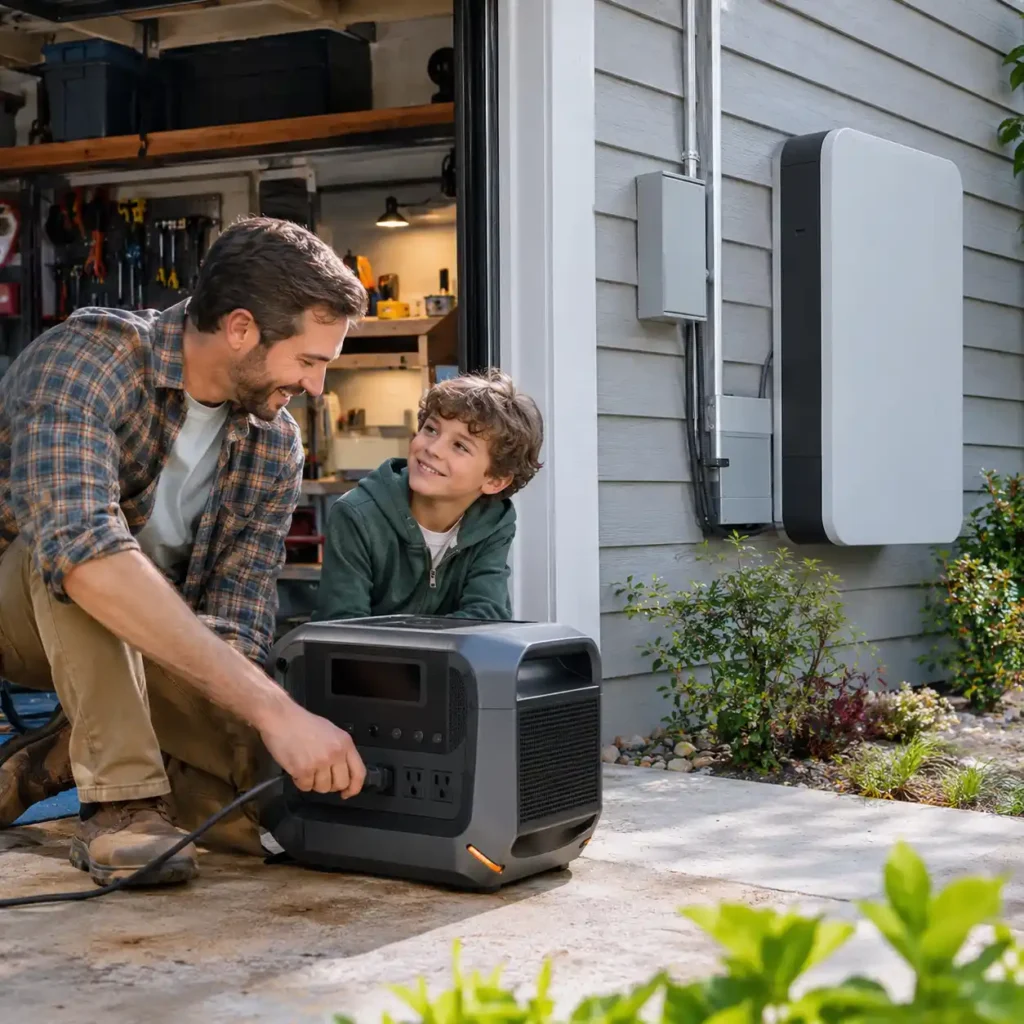
A home battery backup system and a portable power station both store electricity for use during a grid outage, but they deliver that energy to a home in different ways. A conventional portable power station supplies electricity through its built-in outlets, allowing you to connect selected appliances directly. A permanently installed home battery is integrated with the home’s electrical system and can supply the circuits included in its backup configuration.
However, the distinction is no longer as simple as portable versus permanently installed. Some high-capacity portable power stations support compatible transfer switches, home backup panels, and 120V/240V output. When configured with the required equipment, they can supply selected household circuits rather than just individual appliances. They remain modular systems, but their role can extend well beyond emergency power from a few outlets.
The more useful distinction is how the system connects to your home, which electrical loads it can support, and how backup power is delivered when the grid fails.
Three Types of Residential Backup Systems
Residential backup systems generally follow three practical architectures: standalone portable power stations, panel-connected modular backup systems, and permanently installed home battery systems. They differ in how electricity reaches household appliances, how much electrical integration is required, and how the system is intended to operate during an outage.
Standalone Portable Power Station
A standalone portable power station combines a rechargeable battery, an inverter, and built-in AC outlets in one unit. During an outage, you connect selected appliances directly to the station, usually with their power cords or suitable extension cords. No connection to the home’s electrical panel is required for this basic operating arrangement.
This approach works well when backup priorities are limited to specific devices, such as a refrigerator, modem, lights, laptops, or other essential equipment. The station can be stored when not in use and moved to another location when needed. Some models also accept compatible solar panels or expansion batteries, although supported charging and expansion options vary by product.
The main limitation is that the station does not automatically supply power to the home’s existing branch circuits. Appliances must be connected to its outlets, and the available output and stored energy determine what can run and for how long.
Best suited to: households that want straightforward backup for selected appliances without modifying their home’s electrical system.
Panel-Connected Modular Backup
A panel-connected modular backup system uses a portable or expandable power station together with compatible home integration equipment, such as a transfer switch, backup panel, or smart electrical panel. Instead of connecting every appliance directly to the power station, the system supplies designated household circuits through an approved electrical connection.
This architecture bridges the gap between a standalone portable unit and a permanently installed residential battery. The battery and inverter may remain modular and potentially movable, while the home integration equipment provides a more organized way to deliver backup power to selected circuits. Depending on the system, switching may be manual or automatic; these capabilities should never be assumed from the power station’s capacity or output rating alone.
For example, a homeowner may use this arrangement to supply designated circuits serving a refrigerator, lighting, internet equipment, or other essential loads. The exact circuits and appliances supported depend on the power station, its compatible integration equipment, the electrical panel configuration, and the system’s operating limits.
The trade-off is additional equipment and electrical work. A compatible power station cannot simply be connected to a household panel using an ordinary outlet or improvised wiring. The connection must use manufacturer-approved equipment and a properly designed installation.
Best suited to: homeowners who want backup power delivered through selected household circuits but prefer a modular battery system rather than a fully integrated residential energy storage installation.
Permanently Installed Home Battery System
A permanently installed home battery system is designed as part of the home’s electrical infrastructure. It typically combines battery modules, an inverter or hybrid inverter, monitoring and control equipment, and a backup gateway or transfer arrangement. The system is installed at a designated location and connected to the home’s electrical service by qualified professionals.
When configured for backup, the system detects a grid outage, isolates the backed-up portion of the home from the utility supply, and provides power to the circuits included in its design. Depending on the equipment and installation, it may support essential circuits or a broader portion of the home’s electrical load. Some compatible systems can also coordinate with rooftop solar, allowing the battery to recharge and supply power during an outage when the inverter and system controls support off-grid or islanded operation.
Unlike a standalone portable station, a permanently installed system can be designed to operate with less manual intervention. It may also support everyday energy management, such as storing solar generation for later use or shifting electricity consumption, depending on its features and utility arrangements.
Backup-Only vs. Grid-Interactive Home Battery Systems
These are operating capabilities rather than separate installation architectures: a permanently installed home battery may be designed primarily for backup or may also provide broader grid-interactive energy management.
Not every permanently installed home battery offers the same level of energy management. The key distinction is whether the system is designed primarily for outage protection or can also manage electricity flows while the utility grid is operating.
Backup-only home battery: Supplies designated backed-up circuits when the grid goes down. Depending on the system design, it may also support solar charging during an outage, but its primary role is providing emergency power.
Grid-interactive home battery: Can do more than provide outage protection. A compatible system may coordinate battery storage, solar generation, and grid electricity; support time-of-use operation and scheduled grid charging; and, where utility rules and system approvals permit, export stored or solar-generated energy to the grid.
A transfer switch or smart home panel does not automatically make a portable power station or battery system grid-interactive. These devices can manage the connection between a backup source and selected household circuits, but grid-interactive operation requires compatible power-conversion equipment, system controls, and an approved grid connection. Buyers should verify the capabilities of the complete system rather than assume that a home-panel connection provides them.
However, permanent installation does not automatically mean whole-home backup. The number of backed-up circuits, inverter output, battery capacity, and electrical configuration determine what the system can actually support. The installation also requires more planning than simply purchasing a portable power station.
Examples of Permanently Installed Home Battery Systems
Two established examples illustrate how permanently installed residential batteries differ in capacity, inverter output, and home integration.
Tesla Powerwall 3
The Tesla Powerwall 3 combines a 13.5 kWh battery with an integrated solar inverter and up to 11.5 kW of continuous AC backup power under the U.S. specifications. It supports 120/240V split-phase service and is designed to integrate with the home’s electrical system through compatible Tesla backup equipment, such as Gateway 3, Backup Gateway 2, or Backup Switch.
Its integrated inverter simplifies the solar-plus-storage architecture, but the system still requires professional installation and compatible backup controls. The 11.5 kW rating describes continuous power output; the 13.5 kWh capacity determines how much energy is stored.
Enphase IQ Battery 5P
The Enphase IQ Battery 5P is an AC-coupled battery with 5.0 kWh of usable capacity and six embedded grid-forming microinverters. Its published continuous output is up to 3.84 kVA at 240V. It is designed to work as part of the Enphase Energy System rather than as a standalone appliance-powering unit.
For U.S. backup installations, the system requires compatible equipment, including the IQ System Controller 3/3G and IQ Combiner 5/5C. The System Controller provides grid isolation and the neutral-forming function needed to support 120V household loads. Multiple battery units can be combined when greater storage capacity and backup output are required.
These examples represent different approaches to permanent home energy storage. Powerwall 3 integrates a solar inverter into the battery system, while IQ Battery 5P uses an AC-coupled architecture with embedded microinverters. Neither product should be evaluated by battery capacity alone: the installed system configuration determines its actual backup coverage and capabilities.
| Specification | Tesla Powerwall 3 | Enphase IQ Battery 5P |
|---|---|---|
| Usable / published battery capacity | 13.5 kWh | 5.0 kWh |
| Continuous AC output | Up to 11.5 kW | Up to 3.84 kVA at 240V |
| Architecture | Integrated solar inverter | AC-coupled, embedded microinverters |
| Home integration | Tesla Gateway or compatible Backup Switch | IQ System Controller 3/3G and IQ Combiner 5/5C for backup |
| Expansion | Up to 40.5 kWh additional capacity per Powerwall 3 | Multiple battery units can be combined |
Best suited to: homeowners who want a dedicated backup system integrated with their electrical service, particularly when automatic operation, rooftop solar coordination, or broader household coverage is important.
How the Three Architectures Differ
| System Architecture | How Power Reaches the Home | Electrical Integration | Main Trade-Off |
|---|---|---|---|
| Standalone Portable Power Station | Appliances connect directly to built-in outlets | Not required for direct appliance use | Manual connections and limited coverage |
| Panel-Connected Modular Backup | Compatible equipment supplies designated household circuits | Requires approved integration equipment and installation | More integration, but additional equipment and setup |
| Permanently Installed Home Battery | Battery system supplies the circuits included in its backup design | Permanent connection to household electrical service | Greater installation commitment and less mobility |
The central difference is how stored energy reaches the home. A standalone station prioritizes direct appliance access, a panel-connected modular system brings selected household circuits into the backup arrangement, and a permanently installed battery becomes part of the home’s electrical infrastructure.
Choosing between them starts with deciding how much of the home you want to back up and how you want that backup to operate. The next step is to understand two specifications that apply to all three architectures: battery capacity and inverter power.
Battery Capacity vs Power Output
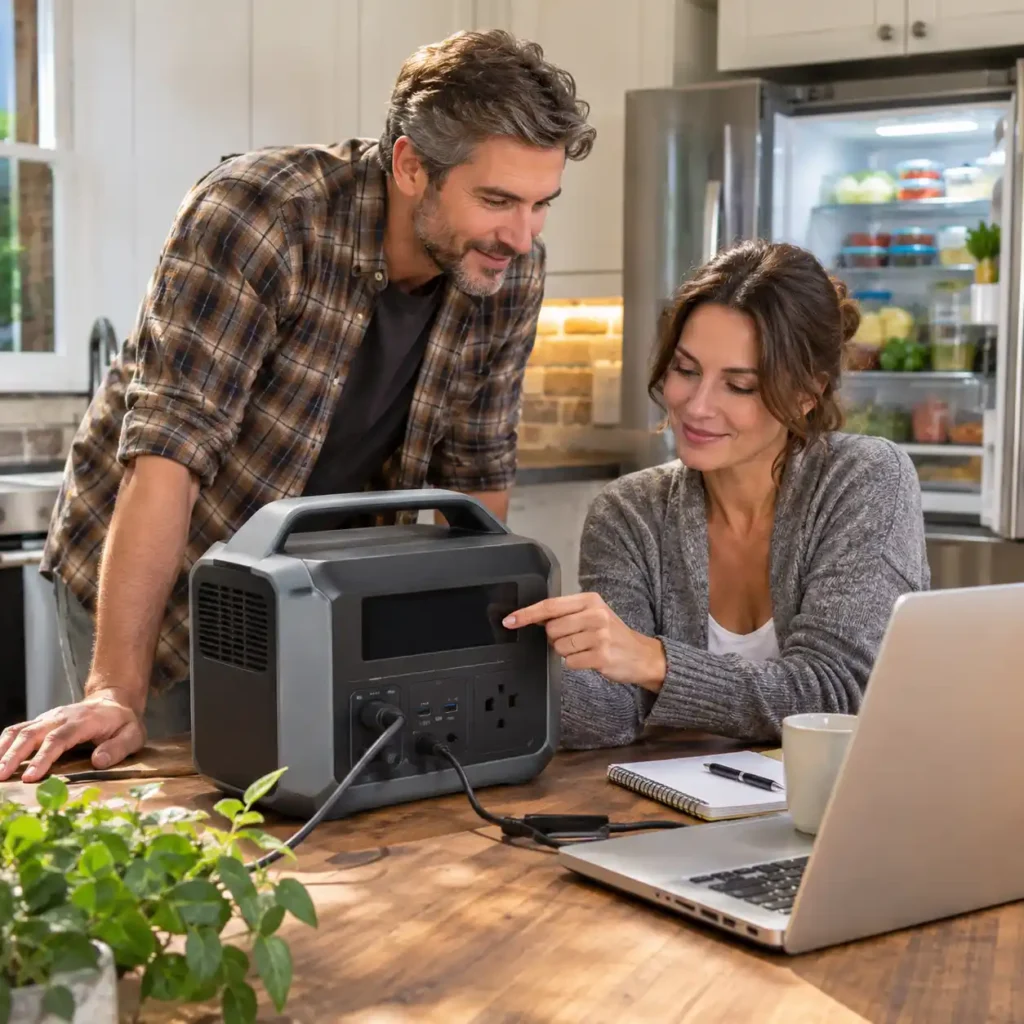
Two specifications determine whether a backup power system can meet your household needs: battery capacity and power output. They measure different things, and neither can compensate for an inadequate rating in the other.
Battery capacity, measured in kilowatt-hours (kWh), tells you how much energy is stored. Power output, measured in kilowatts (kW), tells you how much electricity the system can deliver at a given moment. In practical terms, capacity affects backup duration, while output determines which appliances can operate simultaneously. Both specifications matter whether you choose a portable power station, a panel-connected modular system, or a permanently installed home battery.
Battery Capacity: How Long Can the System Run?
Battery capacity is the amount of energy available for backup use. A system with more kWh can generally support the same electrical load for longer than a system with less stored energy, assuming comparable operating conditions and usable capacity.
For example, a system with more stored energy can generally support the same household load for longer, provided its inverter can supply the required power. However, a larger battery does not automatically increase the number of appliances the system can operate simultaneously.
This is the energy required by the loads in the example, not a recommendation to purchase a battery rated at exactly 6 kWh. Actual system sizing must account for usable battery capacity, inverter losses, reserve settings, and other operating limits.
A larger battery can extend backup duration, but it does not automatically allow you to run more appliances at once. That depends on the system’s power rating.
Power Output: How Much Can You Run at Once?
Power output is measured in watts or kilowatts. For a residential backup system, the inverter’s AC output is especially important because it determines how much power can be delivered to household appliances.
If you are comparing inverter options for a residential backup setup, see our guide to Best Power Inverters for Home Backup.
The most relevant ratings are:
Continuous AC output: The power the inverter can supply under its specified operating conditions on an ongoing basis. The combined running demand of simultaneously operating appliances must remain within this limit.
Peak or surge output: A higher level of power available for a limited period. It can help accommodate the brief starting demand of certain motor-driven appliances, but the permitted duration varies by manufacturer and model.
Consider a system with a 5 kW continuous AC output. If the appliances running at the same time require a combined 5.8 kW, the system exceeds its continuous rating, even if the battery still has plenty of stored energy. Adding another battery may increase runtime, but it will not necessarily increase the inverter’s output capacity.
Why Starting Watts Matter
Some household appliances draw more electricity when their motors start than they use during normal operation. Refrigerators, well pumps, air conditioners, and other motor-driven equipment can create a brief surge in demand.
This is why checking only the running wattage can lead to an undersized backup system. The inverter must support the combined running load and accommodate the starting demand of equipment that may switch on at the same time.
For a realistic assessment, check:
The running wattage of each appliance you want to operate.
The starting or surge requirement of appliances with motors or compressors.
Which appliances may operate simultaneously.
The inverter’s continuous output and its specified surge rating and duration.
A system’s advertised peak output should never be treated as its normal operating capacity. A surge rating is useful only when its duration and the appliance’s actual starting requirements are compatible.
Illustrative Household Load Example
Consider a household running several essential appliances at the same time:
| Appliance | Assumed Running Load |
|---|---|
| Refrigerator | 150W |
| Wi-Fi router | 15W |
| LED lighting | 60W |
| Laptop | 65W |
| Microwave | 1,200W |
| Total Running Load | 1,490W |
These illustrative values show how quickly household loads add up. The refrigerator may also require additional power briefly when its compressor starts, so the inverter must accommodate both the combined running load and the applicable starting demand.
Actual consumption varies by appliance. Check manufacturer specifications or measured values before sizing a backup system.
Capacity and Output Must Be Sized Together
The following examples illustrate why neither specification tells the whole story:
| System Characteristic | What It Determines | What Happens If It Is Too Low |
|---|---|---|
| Battery Capacity (kWh) | How long the selected loads can receive power | Backup ends sooner than required |
| Continuous AC Output (kW) | How much equipment can run simultaneously | The system may overload when running loads exceed its rating |
| Surge Output (W or kW) | Whether the system can accommodate brief starting demand | Motors or compressors may fail to start or trigger overload protection |
A backup system can have substantial battery storage but insufficient inverter output for the appliances you want to operate together. Conversely, a high-output inverter paired with a small battery bank may support demanding loads but provide limited backup duration.
The right system must satisfy both requirements: enough usable energy for the expected outage and enough continuous and surge power for the loads you intend to run.
Before comparing specific models, make a list of essential appliances, estimate their simultaneous running demand, and identify any significant starting loads. Then estimate how much energy those appliances will consume over your target backup period. This gives you two separate sizing requirements: the power rating the system needs to deliver and the battery capacity it needs to store.
The next consideration is how those loads are distributed across your home. A system designed for a few essential circuits has different requirements from one expected to support a much larger portion of the household.
Whole-Home vs Essential-Circuit Backup
A home battery system can be configured to back up either selected electrical circuits or a much larger portion of the home’s electrical panel. The difference affects which appliances remain available during an outage, how the system must be installed, and how carefully household loads need to be managed.
Essential-Circuit Backup
An essential-circuit system supplies power only to selected circuits connected to a dedicated backup loads panel or another approved backup configuration. The homeowner and installer decide which circuits should remain operational when the grid goes down.
Common priorities include:
Refrigerator and freezer circuits
Selected lighting and general-purpose outlets
Internet equipment and communications
Sump pumps or well pumps, where required
Other household equipment that cannot easily be left without power
High-demand appliances, such as central air conditioning, electric ranges, clothes dryers, and EV chargers, may be excluded to keep the backup system within its operating limits.
This configuration can be practical when the priority is maintaining basic household functions rather than powering every appliance. It also gives the homeowner a defined set of loads to plan around during a prolonged outage.
Whole-Home Backup
A whole-home backup configuration connects the backup system to the home’s main electrical distribution so that a broader range of circuits can receive power during an outage. Depending on the equipment and electrical design, this may allow the household to use appliances throughout the home without limiting backup to a separate essential-loads panel.
However, whole-home coverage does not mean unlimited power. The inverter’s continuous and surge ratings, available battery energy, electrical service configuration, and any load-management controls still determine what can operate.
For example, a system may keep the entire electrical panel connected to backup power but still require the homeowner to avoid running several high-demand appliances simultaneously. Some configurations use automatic load management or load shedding to disconnect selected equipment when demand exceeds the system’s limits.
How the Two Configurations Compare
| Decision Factor | Essential-Circuit Backup | Whole-Home Backup |
|---|---|---|
| Circuit Coverage | Selected circuits only | Broader coverage through the main panel |
| Appliance Access | Limited to connected backup circuits | Appliances across the home may be available |
| Load Management | Loads are limited by circuit selection | May require active or automatic load management |
| Best Suited For | Critical household functions | Broader household operation during outages |
| Main Limitation | Non-backed-up circuits remain unavailable | Higher power demand can exceed system limits or reduce runtime |
What to Check Before Choosing
Before deciding between these configurations, identify the circuits you want to keep powered and check the electrical requirements of the appliances connected to them.
In particular, confirm:
Circuit coverage: Which breakers will actually receive backup power?
Simultaneous demand: Which appliances may operate at the same time?
Motor startup requirements: Can the inverter handle the starting demand of pumps, compressors, and other motor-driven equipment?
Load management: Does the system require manual load control or support automatic load shedding?
Electrical compatibility: Can the backup equipment be integrated with your existing service panel and wiring?
A qualified installer should review the electrical panel, circuit layout, and system ratings before confirming the final configuration. Panel labels alone may not reveal every appliance connected to a circuit.
The practical distinction is straightforward: essential-circuit backup protects a defined group of household loads, while whole-home backup provides broader circuit coverage subject to the system’s power and energy limits. The next consideration is whether the system can supply the voltage required by your appliances, particularly 240V equipment.
120V vs 240V Compatibility
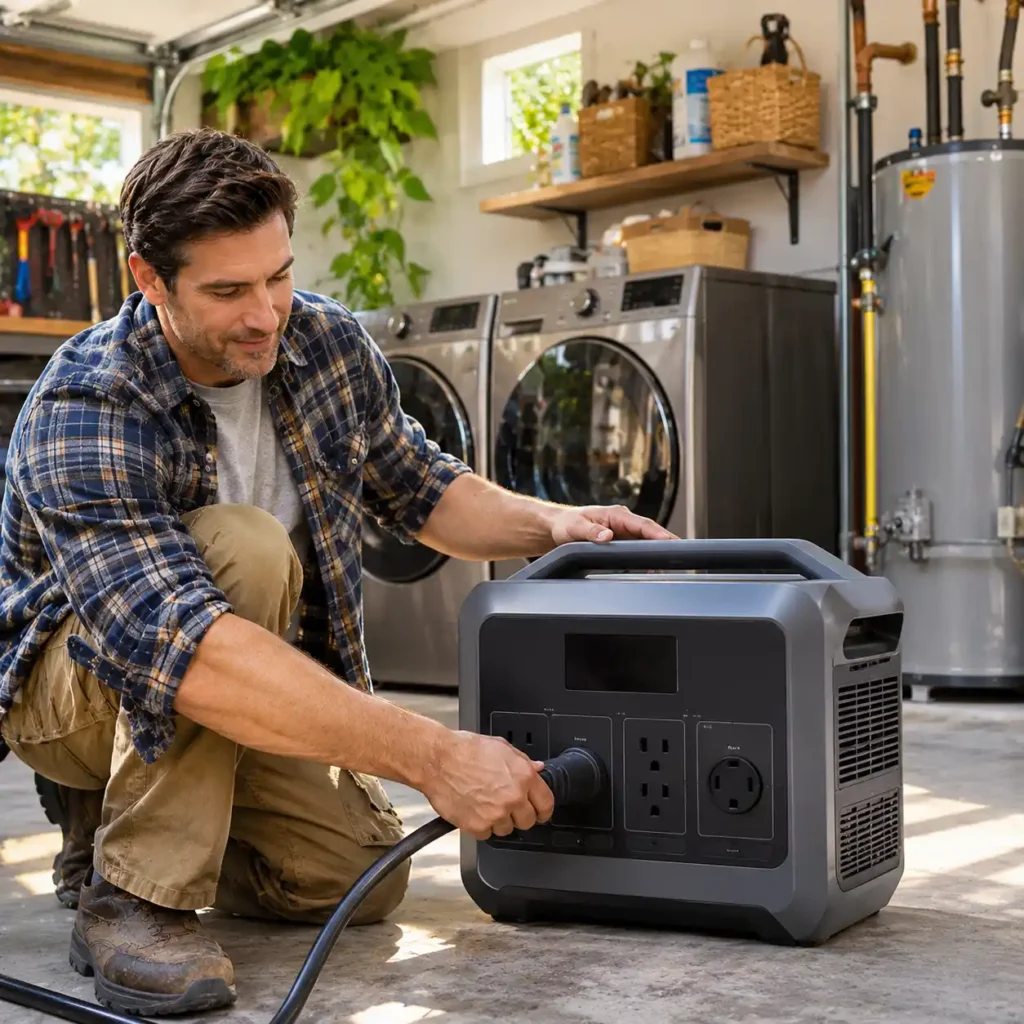
In US homes, most standard household outlets supply 120V, while certain high-demand appliances require 240V. A backup system must provide the correct voltage and electrical configuration for the circuits and equipment you intend to keep running during an outage.
This is an important distinction when comparing portable power stations with home battery systems. A unit may have enough stored energy and sufficient wattage for some household loads but still be incompatible with appliances that require 240V.
What 120V and 240V Mean for Home Backup
Most standard household outlets, including those used by refrigerators, televisions, lamps, and many small appliances, operate at 120V.
Some larger residential appliances use 240V, including:
Electric ranges and ovens
Electric clothes dryers
Central air-conditioning systems
Some well pumps and water heaters
Certain EV charging equipment
In a typical US residential electrical system, 120V and 240V are supplied through a split-phase configuration. A compatible 120V/240V backup inverter must reproduce the required split-phase output to supply both types of loads through the home’s electrical panel.
Why a 120V-Only Power Station May Not Be Enough
A conventional 120V-only power station can supply compatible 120V appliances through its AC outlets. However, it cannot directly power a 240V appliance simply because its battery has sufficient capacity or its output wattage appears high enough.
Some portable power stations support 120V/240V split-phase output through dedicated equipment or compatible configurations. Others are designed for 120V operation only. The distinction must be verified in the manufacturer’s specifications and installation documentation.
For panel-connected backup, the inverter, transfer equipment, and electrical panel configuration must all support the required voltage. A 120V output connected through an approved configuration does not automatically become a functional 240V split-phase supply.
What to Check Before Buying
| Specification | What to Verify | Why It Matters |
|---|---|---|
| Rated AC Output Voltage | 120V only or 120V/240V split phase | Determines which household circuits the system can supply |
| Continuous Output Power | Available wattage at the required voltage | Determines whether connected appliances can operate within the inverter's limits |
| Surge Capability | Starting-power support for motor-driven equipment | Some pumps and compressors require additional power during startup |
| Transfer Equipment | Compatibility with the inverter and home electrical panel | Determines whether the system can safely supply connected household circuits |
| Output Configuration | Supported outlets, connections, and split-phase arrangement | Confirms how the system delivers power to appliances or the panel |
Do not rely on a product listing that simply mentions a 240V outlet. Check whether the system provides the required split-phase output, how much continuous power is available at 240V, and whether the intended transfer equipment supports that configuration.
For example, Tesla specifies 120/240V split-phase operation for its Backup Switch, while some inverter configurations may provide 120V output during battery operation even when connected to a 120/240V source. This illustrates why the actual backup operating mode matters, not just the voltage shown in a general product specification.
Which Voltage Configuration Should You Choose?
If your backup priorities are limited to standard 120V household appliances, a 120V-only system may be sufficient. It can be a practical choice for essential loads that do not require 240V.
If you want to operate 240V equipment during an outage, look for a system explicitly rated for 120V/240V split-phase backup. Then verify that its continuous output, surge capability, and compatible home integration equipment can support the appliances you plan to use.
The key point: 120V/240V compatibility determines which types of household loads a backup system can serve, but it does not establish how many appliances can run simultaneously. That still depends on the system’s power rating and configuration.
The next consideration is how the backup system connects to the home’s electrical panel—and whether power is transferred manually or automatically when the grid fails.
Home Integration, Transfer Switches, and Automatic Backup
A portable power station can supply individual appliances through its built-in outlets, but connecting it to a home’s electrical panel requires additional equipment. A transfer switch or compatible home backup panel manages the connection between the utility grid and the backup power source, allowing designated household circuits to receive electricity safely during an outage.
The main difference between home backup configurations is how this transfer takes place: manually or automatically.
Manual Transfer Switches
A manual transfer switch allows a homeowner to select when designated household circuits receive power from the backup system instead of the utility grid.
In a typical setup, the portable power station connects to a properly installed power inlet. When an outage occurs, the homeowner operates the transfer switch to move the selected circuits from grid power to the backup source.
This approach can work well for buyers who do not need automatic switching and are comfortable managing the transition themselves.
A manual transfer switch generally offers:
Control over which connected circuits receive backup power
A defined connection between the power station and household wiring
A lower level of automation than a smart backup panel
Manual operation when changing between grid and backup power
The exact number of supported circuits depends on the transfer switch and the system configuration.
Automatic Transfer Switches and Smart Home Panels
An automatic transfer switch detects a loss of utility power and changes the connected circuits to the backup source without requiring the homeowner to operate the switch manually.
Some portable power station ecosystems use dedicated smart home panels that combine circuit distribution, power-source switching, and monitoring. For example, EcoFlow’s Smart Home Panel 2 supports compatible DELTA Pro series systems and includes internal automatic switching. Anker also offers home integration equipment for compatible SOLIX systems, including configurations with manual transfer switching.
Automatic switching can be particularly useful when:
The home needs backup power without someone being present to operate the switch.
Selected appliances or circuits should remain powered with minimal interruption.
The homeowner wants to monitor or manage connected circuits through a compatible app.
The backup system is intended to function as part of the home’s electrical infrastructure.
Switching time is equipment-dependent. Some systems transfer power within milliseconds, while others take longer. If an appliance cannot tolerate even a brief interruption, check the manufacturer’s specified transfer time and whether the system provides a suitable UPS function.
How a Portable Power Station Connects to a Home
A panel-connected portable power station typically requires several compatible components:
Portable power station: Supplies stored energy and converts battery power into AC electricity.
Power inlet: Provides the designated connection point for the backup source.
Transfer switch or compatible backup panel: Controls the connection between utility power and the backup source.
Electrical panel and selected circuits: Distribute backup electricity to the connected household loads.
The exact arrangement depends on the power station, transfer equipment, electrical service, and intended circuit coverage. Some systems use a dedicated backup loads panel, while others integrate with a compatible smart panel or transfer switch.
Never connect a power station to a household wall outlet to feed electricity back into the home’s wiring. This can cause dangerous backfeeding and expose utility workers and occupants to electrical hazards. A properly installed transfer arrangement must isolate the backup source from the utility grid as required by the system design and applicable electrical codes.
Portable Power Station vs Permanently Installed Battery Integration
Both portable and permanently installed systems can supply household circuits, but their integration requirements differ.
| Integration Factor | Panel-Connected Portable System | Permanently Installed Home Battery |
|---|---|---|
| Main Equipment | Power station plus compatible transfer switch or backup panel | Battery, inverter, controls, and backup gateway or transfer equipment |
| Electrical Connection | Depends on the selected home integration kit | Designed as part of the home's electrical installation |
| Switching | Manual or automatic, depending on equipment | Often automatic when configured with compatible backup controls |
| Mobility | Power station can generally be disconnected and moved when the installation permits | Battery and associated equipment remain permanently installed |
| Installation | Professional electrical work required for panel integration | Professional electrical installation required |
What to Verify Before Buying
Do not assume that every portable power station can connect to a home electrical panel. Before choosing a system, confirm:
Compatibility: Does the manufacturer approve the power station for use with the specific transfer switch or home backup panel?
Included equipment: Is the transfer switch or home panel included in the selected package, or must it be purchased separately?
Circuit coverage: How many circuits can the equipment support, and are they suitable for your intended loads?
Switching method: Is the transfer manual or automatic?
Transfer time: How long does the system take to switch to backup power?
Installation requirements: Does the manufacturer require a qualified electrician, permits, or specific installation conditions?
Operating limits: Can the inverter supply the required voltage and power to the connected circuits?
The selected power station, transfer equipment, and electrical panel must be compatible as a complete system. The power station’s AC output rating alone does not establish whether it can be safely integrated with a particular household electrical system.
The key buying distinction is that a standalone power station can supply appliances directly, while a panel-connected system requires compatible transfer equipment and a properly designed electrical installation. Automatic backup adds convenience, but it also depends on the capabilities of the complete system—not just the battery.
Solar Charging During a Grid Outage
Solar panels can extend backup power availability during a prolonged outage, but only if the solar and battery equipment are configured to operate independently of the utility grid. Simply having rooftop solar does not guarantee that your home will continue receiving electricity when the grid goes down.
Most conventional grid-tied solar systems automatically shut down during an outage. This safety feature, known as anti-islanding protection, prevents the solar inverter from sending electricity into utility lines that may be undergoing repairs.
To use solar energy during an outage, the backup system must be designed to isolate itself from the grid and provide a stable source of power for connected loads.
Why Standard Grid-Tied Solar Shuts Down
A conventional rooftop solar installation is designed to operate in synchronization with the utility grid. When the grid loses power, its inverter detects the interruption and shuts down solar production.
As a result, even if the panels are receiving strong sunlight, they generally cannot supply electricity to the home or charge a battery through the existing grid-tied connection.
This is an important consideration for homeowners who already have rooftop solar. Adding a portable power station or a battery does not automatically make the existing solar array available during an outage. The equipment must support a compatible backup and islanding configuration.
Three Ways to Use Solar During an Outage
The available options depend on whether you are using a portable power station, an existing rooftop solar installation, or a permanently installed home battery system.
1. Connect Portable Solar Panels Directly to a Power Station
A portable power station with a compatible solar charging input can receive energy directly from portable solar panels. This connection does not depend on the home’s grid-tied solar inverter, so it can continue charging the battery during an outage when sunlight is available.
Before connecting panels, check the power station’s supported solar input voltage, maximum input wattage, current limits, and connector compatibility. The combined panel configuration must remain within the manufacturer’s specified limits.
This is often the most straightforward solar-recharging option for portable systems, provided the panels and power station are compatible.
2. Use an Existing Rooftop Solar Array with a Compatible Backup System
An existing rooftop array may continue operating during an outage when paired with a properly designed battery and backup configuration.
Depending on the system, this may require a hybrid inverter, a compatible battery inverter, an automatic transfer arrangement, and controls that can safely isolate the home from the utility grid and establish an independent power supply.
The system must be designed to coordinate solar production, battery charging, and household demand while operating in island mode.
Not every existing solar installation can be converted simply by adding a battery. Compatibility depends on the existing inverter, solar array configuration, battery equipment, and backup architecture.
3. Use a Permanently Installed Solar-Plus-Storage System
A permanently installed home battery system can be designed to work with rooftop solar during an outage. When the utility grid fails, compatible backup equipment isolates the home from the grid and allows the solar-plus-storage system to supply designated household circuits.
During daylight hours, solar generation can power connected loads and recharge the battery when production exceeds immediate demand. The battery can then supply electricity when solar production falls, including after sunset.
This arrangement can support longer outages, but actual performance depends on solar production, battery capacity, inverter output, weather conditions, and household electricity consumption.
Portable Solar Charging vs Rooftop Solar Backup
| Decision Factor | Portable Solar Panels | Existing Rooftop Solar |
|---|---|---|
| Connection | Directly to a compatible power station | Through compatible inverter and backup equipment |
| Grid Independence | Does not require the home's grid connection | Requires an approved islanding configuration |
| Installation | Usually simpler; depends on panel and system requirements | May require professional electrical modifications |
| Expandability | Depends on supported solar input and panel configuration | Depends on inverter, array, and battery compatibility |
| Main Limitation | Solar input limits and changing sunlight | Existing grid-tied equipment may not support backup operation |
What Can Limit Solar Charging During an Outage?
Even a properly configured solar-plus-storage system cannot guarantee a continuous supply of energy. Several factors influence how much electricity it can generate and store.
Sunlight availability: Cloud cover, shade, panel orientation, and shorter daylight hours can reduce solar production.
Solar input limits: The power station or inverter may restrict the maximum solar charging power it can accept.
Battery capacity: Once the available storage is full, excess solar generation may need to be curtailed if household demand is low.
Household consumption: If connected appliances use electricity faster than the panels generate it, the battery will continue to discharge.
System compatibility: The inverter, battery, solar array, and backup controls must be designed to work together in island mode.
For extended outages, it is therefore important to consider both the battery’s stored energy and the amount of solar energy the system can realistically collect during the day.
The key distinction: portable solar panels can charge a compatible power station directly, while an existing rooftop array needs a properly configured backup architecture to continue operating when the utility grid is unavailable. The next consideration is the total cost of getting a complete backup system installed and ready to use—not just the price of the battery or power station.
Installation Requirements and Total Cost of Ownership
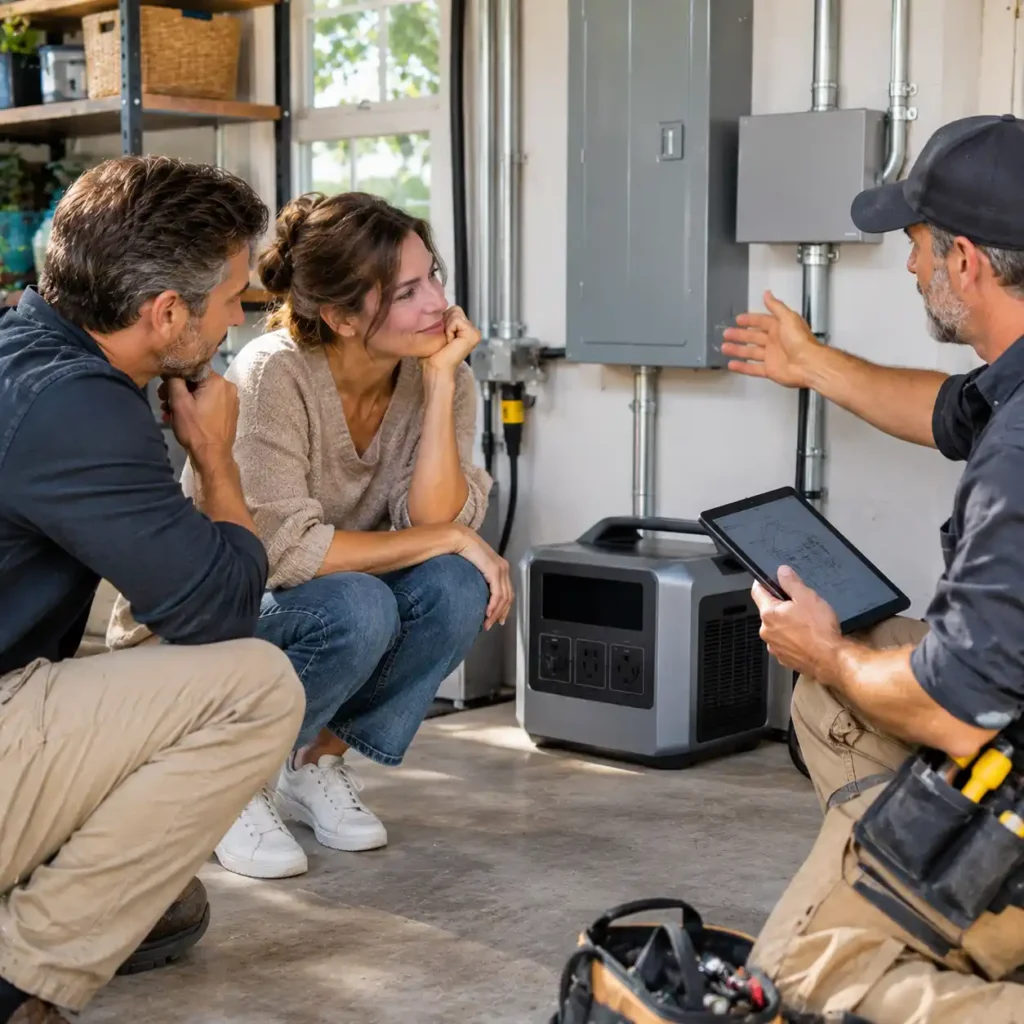
The purchase price of a battery or portable power station is only one part of the cost of a home backup system. Depending on the configuration, the complete project may also require transfer equipment, electrical work, additional battery modules, permits, and professional installation.
This is why comparing a portable power station’s retail price with the price of a permanently installed home battery can be misleading. The two products may not provide the same level of household integration or backup coverage.
To compare them fairly, consider the cost of a complete, operational system.
Installation Requirements by System Type
The installation scope depends primarily on how the backup system connects to the home.
1. Standalone Portable Power Station
A standalone power station is generally the simplest and least installation-intensive option. The owner can connect compatible appliances directly to its AC outlets without modifying the home’s electrical panel.
The main costs typically include:
The power station and any additional battery modules
Compatible solar panels or charging accessories, if needed
Extension cables and other accessories appropriate for the intended use
No permanent electrical installation is normally required for direct appliance operation. However, connecting the unit to household circuits or an electrical panel changes the installation requirements and requires compatible transfer equipment and professional electrical work.
2. Panel-Connected Modular Backup
A panel-connected modular system involves additional equipment and installation costs beyond the power station itself.
Depending on the configuration, the additional costs may include:
A compatible manual transfer switch or smart home panel
A power inlet and required electrical connections
Installation labor and electrical materials
Permits and inspections, where required
Additional battery modules if more stored energy is needed
The exact cost depends on the selected power station, the integration equipment, the number of backed-up circuits, and the condition of the existing electrical panel.
A system sold as a portable power station with a home panel bundle may include some integration equipment, but installation and any additional electrical work should still be checked separately.
3. Permanently Installed Home Battery System
A permanently installed home battery generally involves a more extensive installation project, with costs extending beyond the battery and inverter to the electrical components, labor, and commissioning required for the complete system.
Potential project costs include:
Battery and inverter equipment
Backup gateway, transfer switch, or compatible load panel
Electrical wiring, conduit, disconnects, and other balance-of-system components
Installation labor and system commissioning
Engineering, permits, inspections, and utility interconnection requirements, where applicable
Main electrical panel modifications or upgrades, if necessary
The scope can vary substantially between homes. A system backing up selected circuits may require a different configuration from one designed for broader household coverage.
What Can Increase the Total Installation Cost?
Several property-specific factors can make an otherwise similar backup system more expensive to install.
| Cost Factor | What Can Increase the Cost | Buyer Implication |
|---|---|---|
| Electrical Panel | Insufficient capacity, incompatible equipment, or required panel replacement | The existing panel may need modifications before installation |
| Backup Coverage | More circuits or broader household coverage | Additional equipment, wiring, or load-management controls may be required |
| Installation Location | Long cable or conduit runs and difficult equipment access | More labor and materials may be needed |
| System Complexity | Multiple batteries, inverters, or solar integration | More equipment and commissioning work |
| Permits and Inspections | Local permitting and inspection requirements | Fees and project timelines vary by jurisdiction |
| Existing Solar Equipment | Incompatible inverter or additional backup components | Retrofitting an existing solar installation may add costs |
A main panel upgrade is not automatically required for every home battery installation. It depends on the existing electrical equipment, system design, and applicable requirements.
Compare Complete System Costs, Not Battery Prices
Before accepting a quote, make sure it describes the complete configuration you intend to use during an outage.
A useful comparison should separate the following costs:
| Cost Category | What to Include |
|---|---|
| Primary Equipment | Power station or home battery, inverter, and included controls |
| Additional Storage | Expansion batteries and compatible connection hardware |
| Home Integration | Transfer switch, backup gateway, smart panel, or backed-up-load panel |
| Electrical Work | Wiring, conduit, power inlet, disconnects, and panel modifications |
| Installation | Electrician labor, commissioning, and system configuration |
| Permits and Inspections | Required local approvals and inspection fees |
| Solar Integration | Compatible inverter, controls, and additional equipment, if needed |
Ask each installer to identify which components are included, which are optional, and which may be required after inspecting the property. This makes proposals easier to compare and reduces the risk of choosing a lower initial quote that excludes necessary equipment.
Total Cost of Ownership Beyond Installation
The initial installation price does not tell the whole story. A backup system also has operating and long-term ownership considerations.
Battery warranty and expected service life: Review the manufacturer’s warranty period, cycle or energy-throughput limits, and any capacity-retention conditions. These terms differ between products and should not be treated as a universal battery lifespan.
Charging efficiency and standby consumption: Some energy is lost during charging and power conversion. Inverter standby consumption may also matter if the system remains continuously connected and ready for backup.
Expansion costs: Adding battery capacity later may require compatible modules, connection hardware, or additional system components. Confirm expansion limits and compatibility before purchasing the initial configuration.
Maintenance and monitoring: Check whether the manufacturer specifies periodic inspections, software updates, or other maintenance requirements. Permanently installed systems may also involve installer or service-provider support.
Electricity and solar charging: A system charged from the grid will have ongoing charging costs. Compatible solar integration may reduce grid electricity use, but actual savings depend on solar production, household consumption, and system configuration.
How to Compare Quotes Before Buying
Request itemized proposals that use the same backup requirements. Ideally, each quote should specify:
The exact battery or power station model and total usable storage capacity.
Continuous and surge inverter output, including supported voltage.
The circuits or appliances included in the backup configuration.
All required transfer equipment and home integration components.
Installation labor, electrical materials, permits, and inspections.
Any panel upgrades, solar modifications, or additional work.
Warranty coverage for the battery, inverter, and installation.
The most useful comparison is the total installed cost for the same backup outcome. A lower-priced power station may be an excellent choice for direct appliance use, but its complete cost changes when household circuit integration is added. A permanently installed battery may cost more initially while providing automatic switching and broader electrical integration.
The right choice depends on how much of the home you need to support, how long outages typically last, and how much installation complexity you are prepared to accept.
Which Backup System Fits Your Home?
The right backup system depends on which household loads you need to support, how long you expect to rely on backup power, and how much electrical integration you want.
Use these questions to narrow down your options:
Choose a standalone portable power station if you only need to keep selected appliances running, prefer direct connections through built-in outlets, and do not need backup power distributed through your household circuits.
Consider a panel-connected modular system if you want selected household circuits to receive backup power but prefer a modular system that can potentially be expanded or relocated.
Consider a permanently installed home battery if you want backup integrated into your home’s electrical infrastructure, automatic operation, or broader coordination with rooftop solar and household energy management.
Before choosing, identify your essential loads, check whether any appliances require 240V, and decide how long the system should operate during an outage. Also consider whether you need manual or automatic switching and whether your existing electrical panel supports the intended configuration.
To estimate the power required for your household circuits and appliances, use our Whole House Load Calculator before selecting a system.
Next, estimate how much battery capacity you need to support those loads for your intended backup period.
Practical Runtime Examples
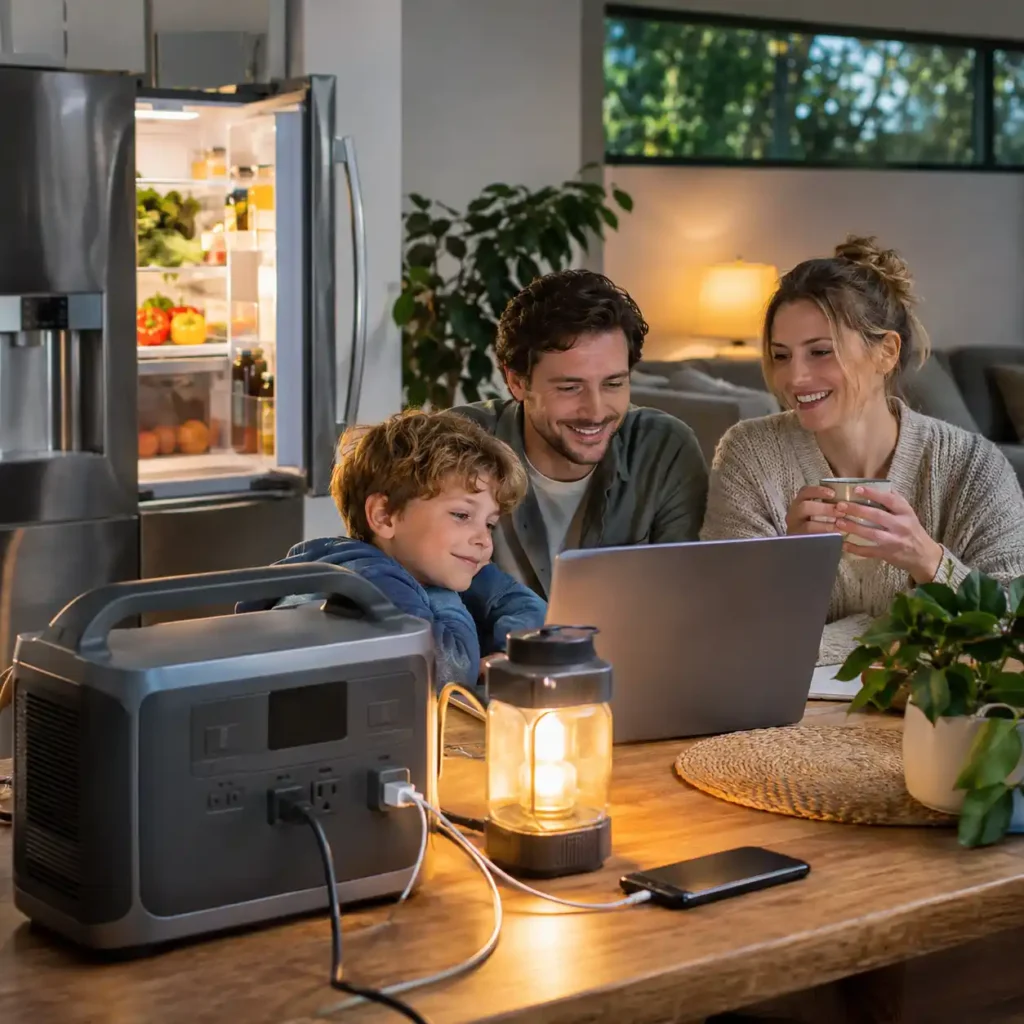
Battery capacity becomes easier to evaluate when you estimate how much energy your household needs during an outage. The following examples show how different backup priorities affect the required storage capacity.
These are illustrative calculations based on assumed average loads, not measured appliance consumption or guaranteed runtime. Actual results depend on connected equipment, inverter efficiency, usable battery capacity, and operating conditions.
How Much Battery Capacity Do You Need?
| Backup Scenario | Assumed Average Load | Backup Period | Energy Required |
|---|---|---|---|
| Basic essential loads | 150W | 12 hours | 1.8 kWh |
| Extended essential loads | 300W | 24 hours | 7.2 kWh |
| Higher-demand household loads | 800W | 12 hours | 9.6 kWh |
The calculation is straightforward: average power consumption multiplied by operating time gives the energy required. For example, a 150W average load running for 12 hours consumes 1.8 kWh (150W × 12 hours = 1,800Wh).
These figures represent energy delivered to the connected loads. The battery’s nominal capacity must be higher to account for conversion losses, usable-capacity limits, and any reserve you want to maintain.
What These Scenarios Mean for Your Backup System
Basic essential loads: A relatively small backup setup may be sufficient when you only need to support a limited group of low-power appliances. However, the inverter must still handle their combined demand and any startup surges.
Extended essential loads: Supporting essential household equipment for 24 hours requires substantially more stored energy. A larger portable power station with expansion batteries or a modular home backup system may be worth considering.
Higher-demand household loads: Running a larger combination of appliances for 12 hours requires significant battery storage. A higher-capacity modular system or permanently installed battery configuration may be more appropriate, depending on the required output and electrical integration.
Why Actual Runtime Can Be Different
A calculated energy requirement does not guarantee the same operating time in practice. Refrigerators and pumps cycle on and off, other appliances may draw different amounts of power throughout the day, and inverter losses reduce the energy available to connected loads.
Also, adding battery capacity generally extends runtime, but it does not necessarily increase the inverter’s power output. Check both specifications before choosing a system.
The practical takeaway: estimate your average household load, decide how long you need backup power, and then select a system with sufficient usable battery capacity and continuous output. Treat these calculations as a starting point, not a substitute for checking the actual electrical requirements of your appliances.
Common Buying Mistakes
Even after comparing backup architectures and technical specifications, buyers can overlook practical requirements that affect whether a system will work as expected. Before purchasing, check these common mistakes.
1. Choosing a System Based on Battery Capacity Alone
A large battery does not guarantee that the system can power all your intended appliances.
Before buying: Check both usable battery capacity and continuous inverter output against your expected loads.
2. Assuming Every Portable Power Station Supports Home Integration
Not every portable power station is approved for connection to household circuits, and compatible integration equipment may not be included.
Before buying: Verify manufacturer-approved home integration options and confirm exactly what the selected bundle includes.
3. Assuming Whole-Home Backup Means Unlimited Power
Broad household circuit coverage does not guarantee that all appliances can operate simultaneously.
Before buying: Check your expected simultaneous load and determine whether the system requires load management.
4. Overlooking 240V and Motor-Starting Requirements
A system may support common 120V appliances but still be unsuitable for equipment requiring 240V split-phase power or higher startup output.
Before buying: Verify appliance voltage, running wattage, and motor or compressor starting requirements.
5. Assuming Existing Rooftop Solar Will Work During an Outage
An existing grid-tied solar installation may not provide usable power during a grid outage without compatible backup equipment.
Before buying: Confirm that your solar inverter and backup system support the intended off-grid or islanded operating configuration.
6. Comparing Equipment Prices Instead of Complete System Costs
The advertised price may exclude expansion batteries, home integration equipment, electrical work, or installation. On the other hand, some buyers may pay for permanent integration they do not actually need.
Before buying: Compare complete configurations that provide equivalent backup coverage, including required equipment and installation.
7. Underestimating the Practical Requirements of a Portable System
A power station may be technically portable but difficult to move once expansion batteries and accessories are included.
Before buying: Check the combined weight and dimensions of all modules, along with the available space for storage, ventilation, and operation.
Frequently Asked Questions
Can a portable power station keep a refrigerator running during a power outage?
Yes, provided the power station has enough usable battery capacity and sufficient continuous and surge output to support the refrigerator’s compressor. Runtime depends on the refrigerator’s average energy consumption, not just its rated running watts, because the compressor cycles on and off.
For a more reliable estimate, check the refrigerator’s EnergyGuide label or measure its actual energy use over time. Allow for inverter losses, startup demand, and any additional appliances connected to the power station.
Can a portable power station replace a UPS?
Not automatically. Some portable power stations include a UPS or EPS function, but transfer times and operating capabilities vary by model. A brief interruption during switching may be enough to restart a computer, router, or network storage device.
If uninterrupted operation is important, check the manufacturer’s specified transfer time and confirm that the equipment you want to protect can tolerate it. A dedicated UPS may still be the more appropriate choice for sensitive electronics that cannot tolerate even a short power interruption.
Can a portable power station power appliances while it is charging?
Some models support pass-through charging, which allows the unit to receive power while supplying connected devices. However, this capability is model-specific and may come with restrictions on AC output, charging input, temperature, and connected loads.
Do not assume that every power station supports this operating mode or that it can deliver its full rated output while charging. Check the manufacturer’s manual for the permitted configuration and operating limits.
Can a home battery provide backup power without solar panels?
Yes. A home battery can supply stored electricity during a grid outage even if the property has no solar panels, provided the battery is charged and the system is configured for backup operation.
Without solar or another compatible charging source, however, the battery has a finite supply of stored energy. Once that energy is depleted, the system cannot continue providing backup power until it can recharge.
Can I use a portable power station as my home's permanent backup system?
A portable power station can be part of a permanent home backup arrangement, but it needs to be compatible with the required transfer equipment and electrical installation. Some systems are designed to connect to selected household circuits through a dedicated home panel or transfer switch.
The distinction is between permanently installing the integration equipment and permanently installing the power station itself. The station may remain portable, but its use as a household backup source must follow the manufacturer’s approved configuration and applicable electrical requirements.
Final Verdict
The right home backup system depends on how much of your home you need to power, how long outages typically last, and whether you want a portable solution or automatic household backup.
A standalone power station offers flexibility for individual appliances. A panel-connected modular system can supply selected household circuits, while a permanently installed battery provides a more integrated backup solution. Actual coverage depends on system output, storage capacity, electrical configuration, and load requirements.
Our Recommendation
Choose the system that best matches your backup priorities:
If you need higher-power 120V/240V backup: Consider the EF ECOFLOW DELTA Pro Ultra. Its 7,200W continuous output and expandable storage make it suitable for more demanding household loads. The Home Panel and installation equipment are not included in the base listing.
If you want home panel integration in the selected bundle: Consider the Anker SOLIX F3800 Plus with Home Power Panel. It combines 3,840Wh of storage with 6,000W continuous output and a dedicated home integration solution.
If you prefer a standalone 4kWh-class power station: Consider the EF ECOFLOW DELTA Pro 3. Its 4,096Wh capacity, 4,000W continuous output, and 120V/240V capability offer a flexible starting point for household backup.
If you want to start with a smaller expandable system: Consider the BLUETTI Apex 300. Its 2,764.8Wh capacity and 3,840W continuous output provide a modular starting configuration.
If longer runtime is more important than additional inverter power: Consider the BLUETTI Apex 300 with B500K Expansion Battery. Its combined 7,884.8Wh capacity provides a larger energy reserve, while continuous AC output remains 3,840W. The B500K extends runtime potential but does not increase the Apex 300’s inverter output.
These recommendations cover portable and modular backup systems rather than the full range of permanently installed home batteries. Before buying, verify the complete system configuration, compatible integration equipment, installation requirements, and the loads you expect to run.
Related Guides
Explore these guides to compare specific backup solutions and plan your system:
Best Whole House Backup Power Systems (2026) — Compare systems designed for broader household coverage.
Best Portable Power Stations for Home Backup (2026) — Explore portable power stations for essential household loads.
What Size Power Station Do I Need? How to Calculate the Right Size — Estimate the capacity and output required for your appliances.
Best Expansion Batteries for Portable Power Stations (2026) — Compare ways to increase energy storage.
How Long Does a Power Station Last? Runtime, Battery Life & Lifespan — Understand runtime, battery longevity, and the factors that affect both.
Power Ready Guide Commitment
At Power Ready Guide, we look beyond headline capacity and wattage to explain what backup systems can realistically do in a home.
Our goal is to make technical specifications, system limitations, and practical trade-offs easier to understand—so you can choose backup power with realistic expectations and confidence before an outage.