
Power outages can interrupt computers, networking equipment, workstations, and other sensitive electronics with little warning. A portable power station with UPS functionality can provide battery backup automatically when utility power fails, but choosing the right model is more complicated than simply looking for the largest battery or highest wattage.
Portable power stations use different UPS architectures and transfer times, and those differences can affect how well a particular model works with computers, networking equipment, monitors, and other connected devices. Pass-through charging should also not automatically be treated as equivalent to UPS protection.
This guide evaluates five portable power stations specifically for their UPS functionality, including transfer time, battery capacity, AC output, operating flexibility, and suitability for different types of equipment. We also distinguish manufacturer specifications from editorial interpretation and avoid treating every UPS implementation as interchangeable.
As an Amazon Associate, I earn from qualifying purchases.

Table of Contents
Quick Answer
Best Fast-Transfer Compact UPS — EF ECOFLOW RIVER 3 Plus. Best for laptops, routers, monitors, and other lower-power electronics where a compact form factor and fast UPS response matter. Its 286Wh battery, expandable capacity, and sub-10ms UPS transfer make it a practical choice for smaller critical loads. The main limitation is its relatively modest battery capacity compared with the 2kWh-class models in this guide.
Best Long-Runtime UPS — Anker SOLIX S2000. Best for buyers who want a much larger battery reserve while retaining fast UPS response. Its 2,010Wh capacity and 1,500W continuous output make it better suited to longer backup periods and multiple connected electronics than compact UPS-focused models. The main limitation is its larger size and weight, which make it less practical when portability is a priority.
Best Higher-Output UPS— BLUETTI Elite 200 V2. Best for users who need more inverter headroom alongside UPS functionality. Its 2,073.6Wh battery and 2,600W continuous output provide more capacity for higher-demand equipment than the smaller models in this lineup, while its ≤15ms UPS specification keeps it within the range of a relatively fast transfer design. The main limitation is that its UPS transfer time is slower than the sub-10ms models in this guide.
Best for UPS-Compatible Mid-Range Backup — Jackery Explorer 1000 v2. Best for buyers who want a manageable 1,000Wh-class power station with UPS capability and whose equipment is compatible with its ≤20ms transfer specification. It occupies a practical middle ground between compact UPS-focused models and larger 2kWh-class systems. The main limitation is that a ≤20ms transfer is not equivalent to a zero-interruption UPS, so compatibility should be considered carefully for desktop PCs, workstations, servers, and other sensitive equipment.
Best High-Capacity UPS Backup — BLUETTI Apex 300. Best for buyers who need the largest battery reserve in this comparison alongside very high AC output. Its 2,764.8Wh capacity and 3,840W continuous output give it a substantially different role from the smaller UPS-focused models. The main limitation is that its UPS behavior is mode- and outlet-dependent, so the applicable operating mode and manufacturer documentation should be checked for the specific equipment being backed up.
Our Evidence & Evaluation Method
Power Ready Guide does not operate a laboratory, and we have not physically tested these five power stations with computers, networking equipment, NAS devices, or other connected electronics. We therefore do not present our estimates as laboratory measurements or claim that every device will respond identically to a power interruption.
Instead, this guide combines manufacturer specifications and technical documentation with technical analysis and published independent information where available. Where we discuss transfer time, UPS behavior, equipment compatibility, or runtime, we distinguish between documented specifications, calculated estimates, and practical considerations. We do not treat a manufacturer’s UPS specification as proof that every connected device will operate without interruption.
| Factor | What We Examine | Evidence |
|---|---|---|
| UPS Performance | Transfer time, automatic switchover, and available UPS operating modes | Manufacturer documentation + published independent information where available |
| Equipment Compatibility | Suitability for routers, laptops, monitors, desktop PCs, NAS devices, and other sensitive electronics | Manufacturer guidance + UPS specifications + equipment requirements |
| Capacity | Battery capacity and expected usable energy | Manufacturer specifications + technical analysis |
| AC Output | Continuous output and surge capability | Manufacturer specifications + available independent data |
| Runtime | Estimated backup runtime under stated load assumptions | Calculated estimates based on capacity, load, and expected efficiency |
| Reliability & Warranty | Battery technology, warranty, operating limits, and documented support | Manufacturer documentation + relevant independent sources |
Transfer time is an important part of our evaluation, but it should not be interpreted in isolation. The practical result can depend on the connected equipment, its power supply, and the specific UPS implementation used by the power station. A faster published transfer time does not automatically make a model suitable for every computer, workstation, or server application.
Runtime figures are planning estimates rather than laboratory measurements. Actual results can vary with connected load, inverter efficiency, battery condition, operating temperature, and other factors. When the available evidence cannot establish a specific real-world result with confidence, we identify the limitation rather than presenting an assumption as a fact.
Who This Guide Is For

Who Should Read This
This guide is for U.S. homeowners, renters, and remote workers looking for a portable power station specifically because UPS functionality and automatic power transfer are important. It is most useful when comparing models for routers, laptops, monitors, desktop computers, NAS devices, and other electronics that may need backup power during a utility outage.
Who Should Use Another Guide
If you need a dedicated UPS for a desktop PC, server, NAS, or other critical equipment, see our Best UPS Battery Backup Systems (2026) guide. If your priority is general household backup power, see our Best Portable Power Stations for Home Backup (2026) guide.
If you need to determine how much battery capacity or inverter output you need, use our Power Station Size Calculator and What Size Power Station Do I Need? guide. For detailed runtime calculations, use the relevant runtime calculators.
This article focuses specifically on the decision: which portable power station is a practical fit when UPS functionality and transfer behavior are important?
Quick Summary: Our Top Picks
The five power stations in this guide cover different UPS-backup priorities. Instead of treating battery capacity or inverter output as the only deciding factors, we selected each model for a specific combination of UPS performance, transfer behavior, equipment compatibility, battery capacity, and practical use. Each pick also has a clear limitation, because no single UPS implementation is ideal for every type of connected equipment.
EF ECOFLOW RIVER 3 Plus
Award: Best Fast-Transfer Compact UPS
Best For: Laptops, routers, monitors, and other lower-power electronics where compact size and fast UPS response matter.
Why It Stands Out: Its sub-10ms UPS transfer and compact design make it particularly relevant for smaller critical loads, while expandable capacity gives users an option to extend runtime beyond the base battery.
Main Limitation: The 286Wh base capacity provides substantially less energy reserve than the 2kWh-class models in this guide.
Anker SOLIX S2000
Award: Best Long-Runtime UPS
Best For: Longer home-office backup, networking equipment, multiple electronics, and users who prioritize battery reserve alongside fast UPS performance.
Why It Stands Out: Its 2,010Wh battery provides a much larger energy reserve than compact UPS-focused models while retaining a 10ms UPS specification and 1,500W of continuous AC output.
Main Limitation: Its larger size and weight make it less practical when portability or a small footprint is a priority.
BLUETTI Elite 200 V2
Award: Best Higher-Output UPS
Best For: Higher-demand home-office equipment, multiple connected devices, and applications that require more inverter headroom than compact UPS power stations provide.
Why It Stands Out: The combination of 2,073.6Wh of battery capacity and 2,600W of continuous AC output gives it considerably more load headroom while retaining a ≤15ms UPS specification.
Main Limitation: Its UPS transfer specification is slower than the sub-10ms models in this lineup, making equipment compatibility an important consideration.
Jackery Explorer 1000 v2
Award: Best for UPS-Compatible Mid-Range Backup
Best For: Buyers who want a manageable 1,000Wh-class power station with UPS capability and whose equipment is compatible with its ≤20ms transfer specification.
Why It Stands Out: It occupies a practical middle ground between compact UPS-focused models and larger 2kWh-class systems, providing meaningful battery capacity without moving into the larger form factors of the highest-capacity models.
Main Limitation: A ≤20ms transfer is not equivalent to a zero-interruption UPS, so compatibility should be considered carefully for desktop PCs, workstations, servers, and other sensitive equipment.
BLUETTI Apex 300
Award: Best Highest-Capacity UPS Backup
Best For: Buyers who need the largest battery reserve in this comparison alongside very high AC output.
Why It Stands Out: Its 2,764.8Wh capacity and 3,840W continuous output give it a substantially different role from the smaller UPS-focused models, particularly when longer backup duration and higher loads are both part of the requirement.
Main Limitation: Its UPS behavior is mode- and outlet-dependent, so the applicable operating mode and manufacturer documentation should be checked for the specific equipment being backed up.
Comparison Table
| Model | UPS Transfer | Capacity | AC Output | Best For |
|---|---|---|---|---|
| EF ECOFLOW RIVER 3 Plus | <10ms | 286Wh | 600W | Compact UPS backup |
| Anker SOLIX S2000 | 10ms | 2,010Wh | 1,500W | Long UPS runtime |
| BLUETTI Elite 200 V2 | ≤15ms | 2,073.6Wh | 2,600W | Higher-output UPS backup |
| Jackery Explorer 1000 v2 | ≤20ms | 1,070Wh | 1,500W | Moderate-capacity UPS backup |
| BLUETTI Apex 300 | Mode-dependent | 2,764.8Wh | 3,840W | High-capacity, high-output backup |
How We Evaluated
A portable power station with UPS functionality cannot be evaluated by battery capacity or maximum wattage alone. For this guide, we focus first on how the UPS system behaves when utility power fails, how quickly the station transfers connected equipment to battery power, and whether that behavior is appropriate for the devices being backed up.
Because Power Ready Guide does not operate a testing laboratory and we have not physically tested these five power stations with computers, networking equipment, NAS devices, or other connected electronics, we do not present our conclusions as hands-on test results. Our evaluation combines manufacturer documentation, published product specifications, available independent information, technical analysis, and calculated use-case estimates. Where real-world performance depends on the connected equipment or operating conditions, we identify that limitation rather than presenting an estimate as a measured result.
UPS Performance
This is the primary evaluation factor for this guide. We examine whether the power station provides a documented UPS function, how automatic switchover operates, and which UPS operating modes are available. We distinguish an actual UPS function from pass-through charging because keeping a power station running while it is connected to AC does not, by itself, establish UPS protection.
Transfer Time
Transfer time determines how quickly connected equipment is switched from utility power to battery power after an outage. We compare the manufacturers’ documented transfer times and explain what the differences mean in practical terms rather than treating a single transfer-time figure as universally suitable for every device.
A shorter published transfer time can be relevant for equipment that is sensitive to brief interruptions, but compatibility still depends on the equipment, its power supply, and the specific UPS implementation.
Equipment Compatibility
UPS performance only matters if it works with the equipment being protected. We therefore consider suitability for routers, modems, laptops, monitors, desktop PCs, workstations, NAS devices, and other sensitive electronics where appropriate.
We do not assume that a power station suitable for one type of equipment will automatically be suitable for another. Manufacturer guidance and the requirements of the connected device remain important parts of the decision.
Battery Capacity and Usable Energy
Battery capacity determines how much stored energy is available once an outage occurs, but the advertised Wh rating is not the same as the energy that will reach connected AC devices. Conversion losses, inverter efficiency, operating limits, and load conditions affect actual runtime.
We therefore use battery capacity as a measure of energy reserve and treat runtime figures as estimates rather than assuming that the full rated capacity is available to connected equipment.
Inverter Capability
The inverter must provide enough continuous AC output for the connected equipment and sufficient headroom for applicable startup or transient loads. We therefore examine continuous output and documented surge capability alongside battery capacity.
Higher inverter output does not automatically make a power station a better UPS. It matters when the equipment being backed up actually requires that additional capacity.
Runtime
UPS backup is ultimately about how long the connected equipment can remain powered after an outage. We use battery capacity, estimated efficiency, and stated load assumptions to calculate planning-level runtime for representative loads where appropriate.
Actual runtime can vary with connected load, inverter efficiency, battery condition, operating temperature, and other factors. We therefore present calculated runtime as an estimate, not a guaranteed operating time.
Reliability and Warranty
A UPS power station may remain connected to AC for extended periods, so long-term ownership factors matter alongside the initial specifications. We consider battery technology, warranty coverage, operating limitations, and documented manufacturer support where these factors affect the practical backup decision.
We do not infer reliability from brand reputation alone or present an absence of published problems as proof of reliability.
Value and Use-Case Fit
Price is not evaluated in isolation. We consider what each model provides in UPS performance, transfer behavior, equipment compatibility, energy reserve, inverter capability, and practical backup use relative to the alternatives in this comparison.
Use-case fit is the final layer of the evaluation. A compact power station may be a practical choice for a router or laptop, while a different model may make more sense for a desktop workstation, multiple monitors, or a longer-duration backup requirement. We therefore evaluate each model according to the equipment and UPS scenario it is actually suited to rather than treating one specification as a universal measure of performance.
Product Reviews
EF ECOFLOW RIVER 3 Plus
Best Fast-Transfer Compact UPS

Quick Verdict
The EF ECOFLOW RIVER 3 Plus is the compact UPS-focused option in this lineup, built for buyers who need automatic backup for lower-power critical electronics without moving to a much larger power station. Its 286Wh battery, 600W AC output, and <10ms UPS switchover give it a focused role: keeping equipment such as networking gear, laptops, monitors, and smaller home-office setups powered when utility power fails.
Its main advantage is the combination of fast UPS response and compact capacity rather than long-duration energy storage. The battery can also be expanded to 858Wh with compatible EcoFlow extra batteries, giving buyers more runtime without replacing the base unit.
Snapshot
| Specification | EF ECOFLOW RIVER 3 Plus |
|---|---|
| UPS Transfer | <10ms |
| Battery Capacity | 286Wh |
| Continuous AC Output | 600W |
| Maximum AC Output | 1,200W |
| Expandable Capacity | Up to 858Wh |
| Voltage | 120V |
| Weight | 10.4 lb |
| Battery Chemistry | LiFePO4 |
| Battery Life | 3,000 cycles to 80% capacity |
Why We Chose It
The EF ECOFLOW RIVER 3 Plus has a very specific advantage in this comparison: it provides a fast UPS response without requiring a 1,000Wh- or 2,000Wh-class power station.
That distinction matters when the equipment being protected does not require a large energy reserve. A router, laptop, monitor, or compact workstation can benefit from automatic battery backup without the physical footprint and weight associated with the larger models in this guide.
Its <10ms UPS switchover is the central reason it belongs in a UPS-focused comparison. EcoFlow identifies the RIVER 3 Plus as providing professional-grade UPS switching in under 10ms and specifically positions the EF ECOFLOW RIVER 3 series for equipment including PCs, NAS devices, Wi-Fi routers, and other sensitive electronics.
The other useful feature is expandability. The base unit has 286Wh, but compatible EB300 and EB600 batteries can increase total capacity to 572Wh or 858Wh, respectively. That gives the buyer a way to increase energy reserve if the initial capacity proves insufficient.
Check the latest price and customer reviews on Amazon.

Living With It
The EF ECOFLOW RIVER 3 Plus is easiest to justify when the backup system has a defined job rather than a long list of high-power loads.
For example, a home-office user may want the router, laptop, monitor, and networking equipment to remain powered long enough to continue working or shut everything down properly when the grid fails. In that situation, the RIVER 3 Plus’s compact size and fast UPS response are more relevant than having several thousand watt-hours available.
EcoFlow also specifies a 234 × 232 × 146 mm footprint and 4.7 kg net weight, which puts the station in a substantially smaller physical class than the larger 2kWh models in this comparison.
For longer outages, however, the 286Wh base battery becomes the limiting factor. The expandable architecture helps, but buyers should size the system around their actual connected load rather than assuming that the maximum 858Wh figure applies to the base configuration.
Evaluation
| Evaluation Factor | This Model | How It Compares | Buyer Implication |
|---|---|---|---|
| UPS Performance | <10ms UPS | Among the fastest stated UPS transfer specifications in this lineup | Strong fit when fast automatic transfer is a priority |
| Battery Capacity | 286Wh | Much smaller than the 1,000Wh–2,000Wh models | Better suited to lower-power loads and shorter backup periods |
| AC Output | 600W continuous | Lowest continuous output in this comparison | Appropriate for smaller critical loads rather than high-demand equipment |
| Expandability | Up to 858Wh | Allows additional battery capacity without replacing the base unit | Useful when the initial 286Wh reserve is not enough |
| Battery Chemistry | LiFePO4 | Long-cycle chemistry used by the larger models as well | Supports long-term ownership of the power station |
Who Should Buy This
The EF ECOFLOW RIVER 3 Plus makes sense for a U.S. buyer who:
- wants a portable power station with UPS function for lower-power critical electronics;
- places a high priority on the stated <10ms UPS transfer;
- needs backup for a router, laptop, monitor, NAS, or compact home-office setup;
- prefers a smaller 286Wh power station over a much larger 1,000Wh–2,000Wh unit;
- wants the option to expand capacity later;
- does not need more than 600W of continuous AC output for the equipment being backed up.
Who Should Skip This
The EF ECOFLOW RIVER 3 Plus is less appropriate if your priority is:
- extended runtime for higher-power equipment;
- a large battery reserve without adding an expansion battery;
- substantially more than 600W continuous AC output;
- supporting several high-demand loads simultaneously during a prolonged outage.
In those situations, the larger models in this guide offer a different balance between UPS functionality, battery capacity, and inverter output.
Final Verdict
The EF ECOFLOW RIVER 3 Plus occupies a clearly defined position in this comparison: it is the compact, fast-transfer UPS option, rather than the long-runtime or high-output choice.
Its combination of 286Wh capacity, 600W continuous AC output, <10ms UPS switching, LiFePO4 battery chemistry, and expansion to 858Wh makes it particularly relevant when the goal is to protect a smaller group of critical electronics without bringing a large power station into the setup.
The important limitation is equally clear: 286Wh is a modest energy reserve. Buyers should therefore choose the RIVER 3 Plus because its UPS behavior and compact format match their equipment, not because they expect it to provide the longest backup runtime in this comparison.
Check the latest price and customer reviews on Amazon.
Related Guide: If your equipment requires dedicated UPS protection rather than a portable power station, see our Best UPS Battery Backup Systems (2026) guide. It covers the dedicated-UPS category separately, which is the more relevant comparison when transfer behavior and protection of critical computer equipment are the primary requirements.
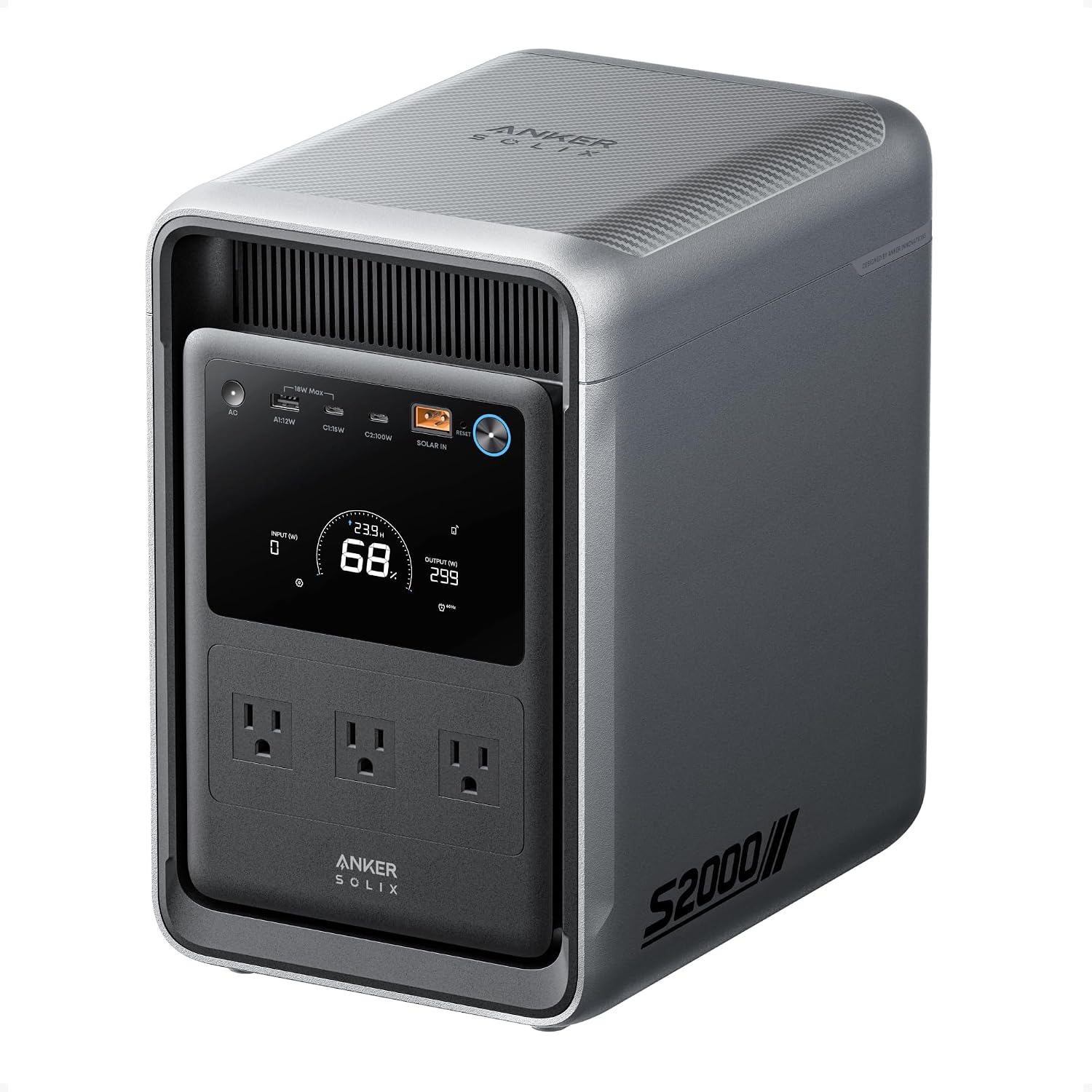
Anker SOLIX S2000 Portable Power Station
Best Long-Runtime UPS
Quick Verdict
The Anker SOLIX S2000 Portable Power Station is the long-runtime option in this UPS comparison. Its 2,010Wh battery, 1,500W rated AC output, and 10ms UPS switchover give it a much larger energy reserve than the compact RIVER 3 Plus while retaining a relatively fast automatic transfer.
This makes the S2000 particularly relevant when UPS backup needs to cover more than a single small device. A home-office setup, networking equipment, multiple electronics, or other essential loads can benefit from the additional battery reserve without moving to the higher-output 2,600W–3,840W class represented by other models in this guide.
Snapshot
| Specification | Anker SOLIX S2000 Portable Power Station |
|---|---|
| UPS Transfer | 10ms |
| Battery Capacity | 2,010Wh |
| Continuous AC Output | 1,500W |
| Peak AC Output | 3,000W |
| AC Voltage | 120V |
| Battery Type | 314Ah LFP cells |
| Weight | 35.7 lb |
| Dimensions | 8.2 × 11.1 × 12.7 in |
| Expandable Battery | No |
| Warranty | 5 years |
Why We Chose It
The Anker SOLIX S2000 earns this position for a reason that is different from the rest of the lineup: it puts a 2kWh-class battery behind a fast UPS function without moving into the largest and heaviest power stations in the comparison.
Its 10ms UPS switchover is important, but the bigger story is what happens after the transfer. Once the S2000 switches to battery power, its 2,010Wh energy reserve gives it substantially more room for extended backup than a compact 286Wh model. That makes the capacity itself part of the UPS decision rather than simply a general portable-power specification.
The Anker SOLIX S2000 also provides 1,500W of rated AC output and 3,000W peak output, giving it considerably more inverter capacity than the RIVER 3 Plus. For buyers running several moderate-power devices at the same time, that additional headroom can matter more than having the fastest possible transfer specification.
At the same time, the Anker SOLIX S2000 is not an expandable system. Anker lists the battery as 2,010Wh with no expandable battery option, so buyers should choose the capacity with their intended loads and outage duration in mind.
Check the latest price and customer reviews on Amazon.

Living With It
The Anker SOLIX S2000 is designed around a different ownership pattern from a compact UPS. At 35.7 lb and 8.2 × 11.1 × 12.7 inches, it is still manageable as a portable power station, but it is no longer something most people would treat like a small desktop UPS.
That larger footprint makes more sense when the station has a broader job. Instead of backing up only a router or laptop, the S2000 can serve as a central battery reserve for several essential electronics during an outage, provided their combined load remains within the station’s output limits.
Anker also gives the Anker SOLIX S2000 Wi-Fi and Bluetooth connectivity, allowing users to monitor and manage the station through its app. The unit uses next-generation 314Ah LFP cells, with Anker specifying 6,000 cycles to 80% capacity and 10,000 cycles to 60% capacity.
One important limitation is that the S2000 does not offer expandable battery capacity. Its 2,010Wh configuration is therefore the energy reserve you are buying from the start.
Evaluation
| Evaluation Factor | This Model | How It Compares | Buyer Implication |
|---|---|---|---|
| UPS Performance | 10ms UPS switchover | Faster than the 15ms and 20ms options in this lineup | Strong fit when UPS response is an important requirement |
| Battery Capacity | 2,010Wh | Far more reserve than the 286Wh RIVER 3 Plus | Better suited to longer backup periods and multiple essential loads |
| AC Output | 1,500W rated / 3,000W peak | Higher than the compact model, below the highest-output models | Provides more headroom for several moderate-power devices |
| Physical Size | 8.2 × 11.1 × 12.7 in; 35.7 lb | Larger than compact UPS models but smaller than the heaviest option | Portable, but better treated as a substantial backup unit |
| Expandability | Not expandable | Unlike expandable power stations | The 2,010Wh capacity needs to be sufficient for the intended use |
Who Should Buy This
The Anker SOLIX S2000 Portable Power Station makes sense for a U.S. buyer who:
- wants a portable power station with UPS function and a substantial battery reserve;
- needs more runtime than a compact UPS-focused station can provide;
- wants 10ms UPS switchover together with 2,010Wh of stored energy;
- expects to back up multiple essential electronics rather than a single low-power device;
- needs up to 1,500W of continuous AC output;
- prefers a fixed 2,010Wh configuration rather than relying on an expansion battery.
Who Should Skip This
The S2000 may be more power station than you need if your UPS requirement is limited to a router, laptop, or another small device and you do not need extended runtime.
It is also not the right fit if you specifically need:
- more than 1,500W of continuous AC output;
- an expandable battery system;
- a substantially lighter UPS power station;
- a model where maximum inverter output is more important than battery reserve.
For those requirements, the other models in this comparison address different combinations of output, capacity, and UPS behavior.
Final Verdict
The Anker SOLIX S2000 Portable Power Station is the model to consider when UPS backup needs to last longer and support more than a small group of low-power electronics.
Its combination of 2,010Wh capacity, 1,500W rated AC output, 3,000W peak output, and 10ms UPS switchover gives it a distinctly different role from the compact RIVER 3 Plus.
The trade-off is equally clear: at 35.7 lb, it requires more physical space, and its battery is not expandable. But for buyers whose priority is a large built-in energy reserve alongside a relatively fast UPS transfer, that fixed 2,010Wh capacity is the central reason to choose this model.
Check the latest price and customer reviews on Amazon.
Related Guide: If you need to determine whether 2,010Wh and 1,500W are enough for your actual equipment, our What Size Power Station Do I Need? guide is the relevant next step. It addresses power-station sizing separately, so this UPS article can remain focused on UPS behavior and equipment compatibility. Our existing content map includes that sizing guide as a separate resource.
BLUETTI Elite 200 V2
Best UPS for Higher-Power Loads

Quick Verdict
The BLUETTI Elite 200 V2 is the high-output choice in this UPS comparison. Its 2,073.6Wh battery, 2,600W continuous AC output, and ≤15ms UPS backup give it considerably more inverter headroom than the compact models while still providing automatic power transfer for supported equipment.
The important distinction is that this model is not primarily about squeezing the longest possible runtime from a battery. Its role is to provide UPS backup when the connected setup itself demands more AC power. With four 120V AC outlets and 2,600W of total AC output, it is built for a broader collection of higher-demand loads than the smaller UPS-focused stations in this guide
Snapshot
| Specification | BLUETTI Elite 200 V2 |
|---|---|
| UPS Transfer | ≤15ms |
| Battery Capacity | 2,073.6Wh |
| Continuous AC Output | 2,600W |
| Power Lifting | 3,900W |
| AC Voltage | 120V |
| AC Outlets | 4 |
| Weight | 53.4 lb |
| Dimensions | 13.8 × 9.8 × 12.7 in |
| Battery Type | LiFePO₄ |
| Battery Cycle Life | 6,000+ cycles |
Why We Chose It
The BLUETTI Elite 200 V2 earns this position because output capacity changes the UPS equation.
A portable power station can have an adequate UPS transfer specification and still be the wrong choice if the connected equipment requires substantially more inverter capacity. The BLUETTI Elite 200 V2 addresses that part of the decision with 2,600W of continuous AC output, giving it a much wider operating envelope than the 600W RIVER 3 Plus and the 1,500W S2000.
Its ≤15ms UPS Backup specification is slower than the sub-10ms options in this comparison, so we would not select it simply because the transfer number is the lowest. Its role is different: it combines a relatively fast UPS function with enough output to support a more demanding collection of equipment. Amazon also identifies four 120V AC outlets and a 3,900W Power Lifting mode.
The battery is also substantial at 2,073.6Wh, putting the Elite 200 V2 in the same broad capacity class as the S2000 while offering significantly more continuous AC output. That makes the model particularly relevant when load requirements, rather than battery capacity alone, are driving the purchase decision
Check the latest price and customer reviews on Amazon.

Living With It
The BLUETTI Elite 200 V2 is a substantial piece of equipment. At 53.4 lb and 13.8 × 9.8 × 12.7 inches, it belongs on a floor, sturdy shelf, or other planned location rather than being treated like a lightweight desktop UPS.
That physical size makes more sense when the station has several jobs during an outage. Four 120V AC outlets and 2,600W of continuous output give the user considerably more room to connect multiple devices, provided their combined load remains within the station’s limits. Amazon states that the unit can power up to nine devices simultaneously.
BLUETTI also uses a LiFePO₄ battery and states a 6,000+ cycle life. The U.S. Amazon listing describes three charging modes and a Turbo mode capable of 0–80% charging in one hour at 1,800W AC; it also states 0–80% charging in 50 minutes using dual AC and DC charging.
For this particular article, however, those charging capabilities are secondary. The central question is whether the Elite 200 V2’s ≤15ms UPS behavior and 2,600W output match the equipment that needs backup.
Evaluation
| Evaluation Factor | This Model | How It Compares | Buyer Implication |
|---|---|---|---|
| UPS Performance | ≤15ms UPS Backup | Slower than the <10ms and 10ms options, faster than the ≤20ms option | Suitable when the equipment accepts this transfer behavior and higher output is also important |
| Battery Capacity | 2,073.6Wh | Similar class to the 2,010Wh S2000 | Provides substantial stored energy for longer outages |
| AC Output | 2,600W continuous | Higher than the RIVER 3 Plus and S2000 | Better suited to higher combined loads |
| AC Configuration | 4 × 120V AC outlets | More AC output capacity than the compact model | Useful for multi-device backup setups |
| Power Lifting | 3,900W | Adds a higher-power operating mode | Relevant for applicable loads that benefit from Power Lifting rather than simply requiring more continuous output |
Who Should Buy This
The BLUETTI Elite 200 V2 Portable Power Station makes sense for a U.S. buyer who:
- needs a portable power station with UPS functionality and substantial AC output;
- expects the connected backup load to exceed what a 600W or 1,500W station comfortably provides;
- wants 2,073.6Wh of battery capacity;
- needs multiple 120V AC outlets for a broader emergency-backup setup;
- can accommodate a 53.4-lb power station;
- has equipment that is compatible with the manufacturer’s ≤15ms UPS specification.
Who Should Skip This
The Elite 200 V2 is probably more power station than necessary if the UPS job is limited to a router, laptop, or another low-power device.
It is also not the obvious choice if your primary requirement is the shortest transfer time possible rather than higher inverter capacity. The ≤15ms specification is slower than the sub-10ms options in this comparison.
Buyers who do not need 2,600W of continuous AC output may also be carrying unnecessary size and weight for a relatively small UPS load.
Final Verdict
Choose the BLUETTI Elite 200 V2 if you need higher AC output and substantial battery capacity in a portable UPS backup system. Its 2,073.6Wh capacity, 2,600W continuous output, and ≤15ms UPS behavior make it suited to higher-demand home-office and electronic loads, provided the connected equipment is compatible with its transfer characteristics.
Check the latest price and customer reviews on Amazon.
Related Guide: If your requirement extends beyond UPS backup for electronics and you are looking for a broader solution for multiple household loads during an outage, see our Best Portable Power Stations for Home Backup (2026) guide. That article addresses the wider home-backup use case, while this guide remains focused specifically on UPS behavior and equipment compatibility.
Jackery Explorer 1000 v2
Best for UPS-Compatible Mid-Range Backup

Quick Verdict
The Jackery Explorer 1000 v2 takes a different position in this comparison: it offers a substantial 1,070Wh battery and 1,500W AC output in a relatively manageable 23.8-lb package, while its UPS function is specified at ≤20ms. That makes it relevant for buyers who need portable backup capacity but whose equipment is compatible with that transfer behavior.
The important point is not to treat the ≤20ms figure as interchangeable with the faster UPS implementations elsewhere in this guide. For a router, laptop, monitor, or other equipment that tolerates the documented transfer, the Explorer 1000 v2 can provide a useful middle ground between a small UPS station and a much larger 2kWh-class model. For more sensitive computers, workstations, or server equipment, compatibility should be established before relying on it as the primary UPS.
Snapshot
| Specification | Jackery Explorer 1000 v2 |
|---|---|
| UPS Transfer | ≤20ms |
| Battery Capacity | 1,070Wh |
| Continuous AC Output | 1,500W |
| Surge Peak | 3,000W |
| AC Voltage | 120V / 60Hz |
| AC Outlets | 3 |
| USB-C Output | Up to 100W |
| Battery Chemistry | LiFePO4 |
| Weight | 23.8 lb |
| Dimensions | 12.9 × 8.8 × 9.7 in |
Why We Chose It
The Jackery Explorer 1000 v2 is useful in this comparison because it demonstrates why UPS transfer time cannot be evaluated separately from the equipment being protected.
Its ≤20ms UPS specification is slower than the <10ms RIVER 3 Plus, the 10ms S2000, and the ≤15ms Elite 200 V2. That does not make the Jackery Explorer 1000 v2 a generic “bad UPS”; it means the buyer needs to consider whether the connected equipment can remain stable through the documented transfer. Jackery itself describes the unit as providing UPS functionality, while its technical documentation specifies the switching behavior at ≤20ms.
Where the Jackery Explorer 1000 v2 becomes interesting is the balance around that UPS specification. The buyer gets 1,070Wh of stored energy and 1,500W of rated AC output rather than the much smaller capacity of the RIVER 3 Plus. If you are specifically comparing power stations in the 1,000Wh class, see our Best 1000Wh Portable Power Stations (2026) guide.
That gives the station a broader role for emergency backup while keeping the physical package considerably smaller than the 2kWh-class models in this comparison.
It also has a practical charging advantage. Amazon states that the unit can charge from 0% to 100% in one hour when emergency charging is enabled through the Jackery App; the default charging mode is approximately 1.7 hours to prioritize battery health.
Check the latest price and customer reviews on Amazon.

Living With It
At 23.8 lb and 12.9 × 8.8 × 9.7 inches, the Jackery Explorer 1000 v2 sits in a useful middle ground physically. It is no longer a small desktop-style backup unit, but it is substantially easier to relocate than the 2,000Wh-plus models in this comparison.
That makes its capacity useful beyond a single small networking device. The 1,070Wh battery can support a broader emergency setup, while the 1,500W AC rating leaves room for multiple moderate-power loads, provided the combined demand remains within the station’s limits. Amazon lists three pure-sine-wave AC outlets alongside two USB-C ports, one USB-A port, and a 12V car port.
Jackery also uses a LiFePO4 battery and specifies 4,000 cycles while retaining at least 70% capacity. The Amazon listing describes ChargeShield 2.0 and a stated battery lifespan exceeding 10 years under its specified conditions.
For this particular UPS comparison, however, the central ownership question is simpler: does the equipment you intend to protect tolerate a ≤20ms transfer? The station’s other features cannot answer that question for you.
Evaluation
| Evaluation Factor | This Model | How It Compares | Buyer Implication |
|---|---|---|---|
| UPS Performance | ≤20ms UPS | Slowest stated transfer specification among the five models | Equipment compatibility deserves particular attention |
| Battery Capacity | 1,070Wh | Larger than the RIVER 3 Plus, smaller than the 2kWh-class models | Useful middle ground for moderate backup duration |
| AC Output | 1,500W continuous / 3,000W surge | More output than the RIVER 3 Plus, below the higher-output models | Suitable for multiple moderate-power loads |
| Physical Size | 12.9 × 8.8 × 9.7 in; 23.8 lb | Mid-sized in this comparison | Easier to relocate than the larger 2kWh-class units |
| Connectivity | 3 AC + 2 USB-C + 1 USB-A + 1 car port | Broad mix of outputs for its size | Useful when backup needs include both AC and USB devices |
Who Should Buy This
The Jackery Explorer 1000 v2 makes sense for a U.S. buyer who:
- wants a portable power station with UPS function and around 1kWh of battery capacity;
- needs 1,500W of continuous AC output rather than the 600W available from the compact model;
- wants a relatively manageable 23.8-lb station;
- needs backup for routers, laptops, monitors, and other equipment that is compatible with a ≤20ms UPS transfer;
- values a larger battery reserve without stepping up to a 2,000Wh-plus power station;
- wants fast recharge capability through Jackery’s emergency charging mode.
Who Should Skip This
The Explorer 1000 v2 is not the model to choose simply because it has a UPS label.
Consider another option if your equipment requires a shorter transfer time than ≤20ms or if the manufacturer of the connected device specifies a different UPS requirement. This is particularly relevant for some desktop computers, workstations, servers, and other equipment whose power supplies may not tolerate a brief interruption.
It is also less suitable if you need:
- substantially more than 1,500W continuous AC output;
- 2,000Wh or more of built-in battery capacity;
- a compact station primarily for one or two low-power devices;
- a UPS implementation with a faster published transfer specification.
Final Verdict
The Jackery Explorer 1000 v2 is the compatibility-first option in this lineup.
Its 1,070Wh battery, 1,500W continuous output, 3,000W surge peak, 23.8-lb weight, and ≤20ms UPS specification create a useful middle ground between compact UPS backup and the larger 2kWh-class stations.
The defining limitation is the same specification that makes this model distinctive: ≤20ms. Rather than treating that number as universally suitable or unsuitable, buyers should match it to the equipment they intend to protect. That is the correct way to interpret this model within a UPS-focused comparison.
Check the latest price and customer reviews on Amazon.
Related Guide. If your equipment is particularly sensitive to power interruptions and you are deciding whether a dedicated UPS would be more appropriate than a portable power station, see our Best UPS Battery Backup Systems (2026) guide.
BLUETTI Apex 300
Best High-Capacity UPS Backup

Quick Verdict
The BLUETTI Apex 300 is the high-capacity, high-output option in this UPS lineup. It combines a 2,764.8Wh LiFePO₄ battery with 3,840W of continuous AC output, giving it substantially more power and energy reserve than the smaller UPS-focused models in this guide.
Its UPS system is also more flexible than a single transfer-time figure suggests. The Apex 300 supports 0ms or ≤20ms UPS switching, depending on the UPS mode and outlet configuration. BLUETTI documents 0ms switching for specific outlet and operating configurations, while other AC outlets use the ≤20ms mode. That distinction matters when the power station is being used with sensitive electronics.
The result is a power station that can serve both as a UPS-capable backup source for critical electronics and as a much larger emergency-power system for higher-demand loads. Its size and 83.8 lb weight, however, make it better suited to stationary or semi-stationary backup than everyday portable UPS use.
Snapshot
| Feature | BLUETTI Apex 300 |
|---|---|
| UPS Transfer | 0ms or ≤20ms, depending on UPS mode and outlet configuration |
| Battery Capacity | 2,764.8Wh |
| AC Output | 3,840W |
| Surge Output | 7,680W |
| Output Voltage | 120V/240V |
| Battery Chemistry | LiFePO₄ |
| Weight | 83.8 lb |
| Dimensions | 20.67 × 12.87 × 12.6 in |
BLUETTI’s current U.S. documentation confirms the 2,764.8Wh capacity, 3,840W output, dual-voltage capability, and two UPS modes.
Why We Chose It
The BLUETTI Apex 300 earns its place as the Best High-Capacity UPS Backup because it combines UPS functionality with a level of battery capacity and AC output that moves it well beyond the typical small UPS-style power station.
Its 2,764.8Wh battery provides a substantially larger energy reserve than the compact models in this comparison, while its 3,840W continuous output gives it enough headroom for much higher-demand equipment. The simultaneous 120V/240V architecture also expands the range of backup applications beyond a typical desk setup.
For this guide, the most important qualification is its UPS implementation. The Apex 300 should not be reduced to a generic “0ms UPS” label. BLUETTI documents 0ms switching for specific configurations and ≤20ms for other outlets/modes, so the correct operating mode and outlet configuration must be matched to the equipment being backed up.
That makes the Apex 300 particularly relevant for buyers who want a large emergency-power platform with UPS capability, rather than a compact UPS replacement intended primarily for one computer or networking setup.
Check the latest price and customer reviews on Amazon.

Living With It
The Apex 300’s physical scale is the first thing that separates it from the other models in this guide. At approximately 83.8 lb, it is better treated as a stationary or semi-stationary backup unit than something you regularly move from room to room.
That footprint makes more sense when the power station is serving as a central backup source for multiple loads. Its 3,840W output and 120V/240V capability provide considerably more electrical headroom than a compact UPS-focused model, while its 2,764.8Wh battery gives it the reserve needed for longer backup scenarios.
The Apex 300 also supports multiple charging methods, including AC, solar, car, and generator charging, so its role can extend beyond short-duration UPS protection. Amazon’s current listing specifically identifies solar, AC, and generator charging among its charging options.
The tradeoff is straightforward: if the only goal is to keep a router, laptop, or small office setup running through brief outages, the Apex 300’s size and capacity are likely to be unnecessary.
Evaluation
| Evaluation Factor | This Model | How It Compares | Buyer Implication |
|---|---|---|---|
| UPS Performance | 0ms or ≤20ms, depending on mode/outlet | More configuration-dependent than a single published transfer figure suggests | Verify the correct UPS mode and outlet for the equipment |
| Battery Reserve | 2,764.8Wh | Largest capacity in this comparison | Better suited to longer backup periods and multiple loads |
| AC Output | 3,840W continuous | Highest continuous output in this comparison | Provides substantial headroom for higher-demand equipment |
| Electrical Flexibility | 120V/240V output | Broader than the other models in this guide | Useful for more demanding home-backup scenarios |
| Portability | 83.8 lb | Much heavier than the compact models | Best suited to stationary or semi-stationary use |
Who Should Buy This
The BLUETTI Apex 300 is a strong fit for buyers who want UPS functionality as part of a larger emergency-backup system rather than buying a power station solely to protect one small electronic device.
It makes particular sense when the backup plan includes higher-demand equipment, longer outages, multiple connected loads, or applications that can benefit from 120V/240V output.
It is also worth considering when future expansion matters. BLUETTI positions the Apex 300 as part of a modular backup ecosystem with expandable battery capacity, allowing the system to grow beyond its base 2,764.8Wh capacity.
Who Should Skip This
Skip it if your actual requirement is simply keeping a router, laptop, monitor, or small home-office setup running through short outages.
In those situations, the Apex 300’s physical size, weight, and electrical capacity are likely to be more than the application requires. A smaller UPS-focused power station can address the same basic backup need with a much smaller footprint.
It is also not the right choice if you need a universally guaranteed 0ms transfer across every outlet. The Apex 300’s 0ms and ≤20ms UPS behavior depends on the selected operating mode and outlet configuration.
Final Verdict
The BLUETTI Apex 300 is the high-capacity, high-output option in this UPS lineup. Its main advantage is not simply its UPS transfer specification, but the combination of UPS capability, 2,764.8Wh of battery capacity, 3,840W of continuous output, and 120V/240V flexibility.
For buyers who need a substantial emergency-power reserve as well as UPS functionality, that combination gives the Apex 300 a distinct role in this comparison.
For sensitive electronics, however, do not assume that the headline 0ms figure applies to every connection. Check the applicable UPS mode and outlet configuration for the specific equipment before relying on the Apex 300 as interruption-free backup. BLUETTI itself distinguishes between its 0ms and 20ms UPS configurations.
Check the latest price and customer reviews on Amazon.
Related Guide: Portable Power Station vs Generator — useful for readers deciding whether a battery-based backup system or a traditional generator better fits their outage-preparedness needs.
How UPS Functionality Works in a Portable Power Station
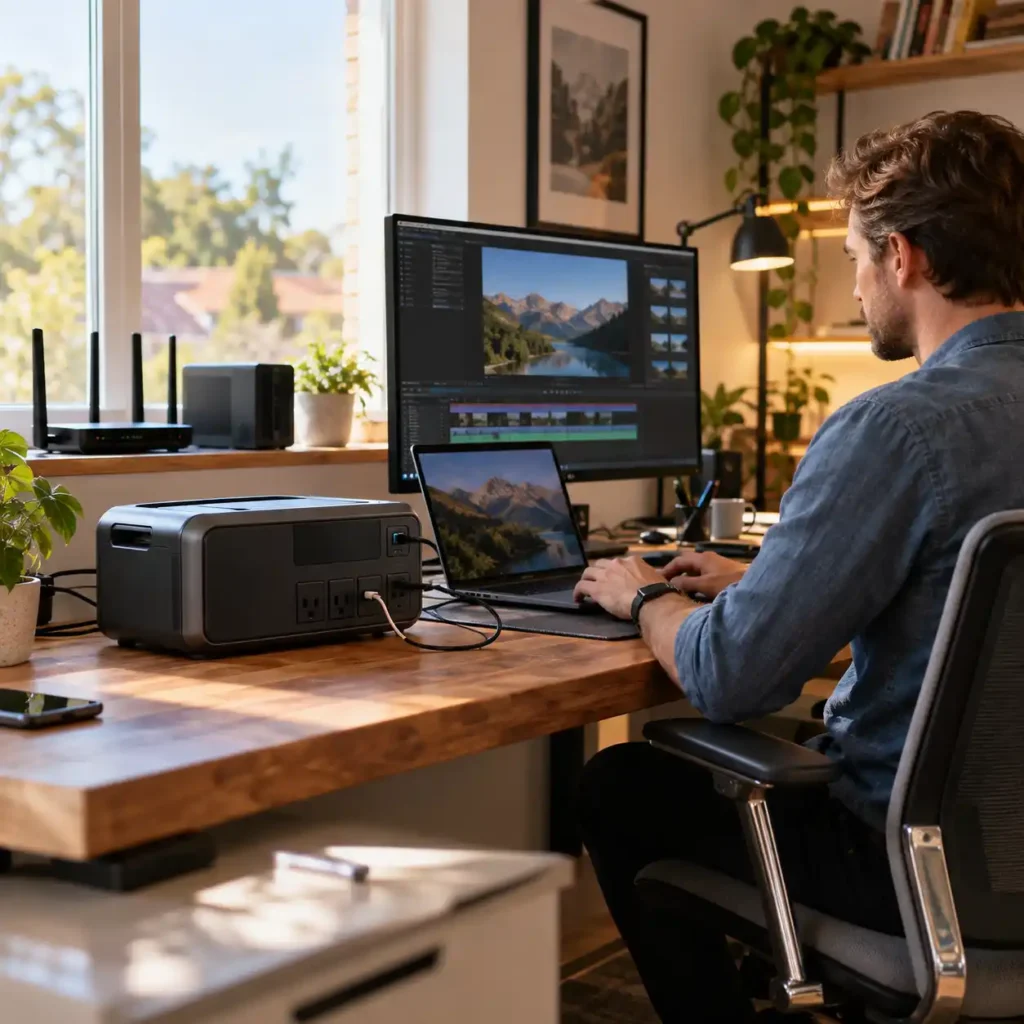
For a portable power station, UPS functionality is not simply about having a battery available when the grid fails. The key question is how the unit transitions from utility power to battery power, and whether that transition is compatible with the equipment you need to keep running.
In UPS mode, the power station remains connected to AC power while supplying the connected devices. When utility power is interrupted, the unit switches the load to its internal battery. The transfer time determines how long that transition takes. For equipment that must remain continuously powered, this behavior can matter more than the power station’s total battery capacity.
UPS Is Not the Same as Pass-Through Charging
A portable power station can sometimes power connected devices while it is itself charging from the wall. That capability is often described as pass-through charging, but pass-through alone does not establish that the unit functions as a UPS.
The distinction is important. A UPS is designed to provide a defined transition from utility power to battery power when an outage occurs. Pass-through simply describes the ability to charge the battery while simultaneously supplying power to connected loads. A power station can support pass-through charging without providing the UPS behavior required for uninterrupted operation of sensitive equipment.
For this reason, the presence of a pass-through feature should not be treated as proof of UPS compatibility.
What Matters When the Power Goes Out
When choosing a portable power station for UPS backup, there are three separate questions:
- Does the unit provide an actual UPS function?
- How quickly does it transfer the load to battery power?
- Is that transfer behavior suitable for the equipment being backed up?
Battery capacity answers a different question: how long can the equipment continue running after the power outage?
That distinction is central to this guide. A larger battery can provide more backup runtime, but it cannot compensate for UPS behavior that is unsuitable for a particular device. Conversely, a very fast transfer does not help much if the power station does not have enough AC output or battery capacity for the connected load.
This is why UPS backup should be evaluated as a combination of transfer behavior, equipment compatibility, output capability, and battery reserve, rather than by watt-hours alone.
Portable Power Station UPS vs. a Dedicated UPS
A portable power station with UPS functionality can be useful when you want both outage protection and a substantial battery reserve in one portable system. It can be particularly practical for home-office equipment, networking devices, and other electronics that need backup power beyond a short interruption.
A dedicated UPS, however, remains a different category of equipment. It is specifically designed around power continuity and equipment protection, while a portable power station is also intended to serve broader backup and portable-power needs.
That difference becomes increasingly important as the connected equipment becomes more sensitive or mission-critical. Desktop computers, gaming systems, NAS devices, and servers should not be considered automatically compatible simply because a portable power station lists a UPS function. The transfer specification and the equipment’s own power-supply behavior need to be considered together.
The next question, therefore, is not simply whether a power station has UPS mode, but what its transfer-time specification actually means for the equipment you plan to connect.
UPS Transfer Time: What the Numbers Actually Mean
UPS transfer time is the amount of time a portable power station needs to switch a connected load from utility power to battery power after an interruption. For UPS backup, this specification matters because different types of equipment can respond differently to a brief loss of power.
The five power stations in this guide do not all use the same transfer specification. The EF ECOFLOW RIVER 3 Plus is rated at less than 10ms, the Anker SOLIX S2000 at 10ms, the BLUETTI Elite 200 V2 at ≤15ms, and the Jackery Explorer 1000 v2 at ≤20ms. The BLUETTI Apex 300 is different: its UPS behavior is mode- and outlet-dependent rather than represented by one universal transfer-time figure.
Faster Transfer Does Not Automatically Mean Universal Compatibility
A shorter transfer time generally means less time between the loss of utility power and the switch to battery power. That can be important for electronics that are sensitive to even brief interruptions.
However, transfer time should not be treated as a universal compatibility threshold. The behavior of the connected equipment also matters. A desktop computer, gaming PC, NAS, router, and laptop may respond differently to the same transfer event depending on their power supplies and operating characteristics.
For that reason, a specification such as 10ms or 20ms should be interpreted as a characteristic of the power station’s UPS implementation, not as a guarantee that every connected device will remain online.
How the Transfer Specifications in This Guide Compare
| Model | UPS Transfer Specification | What It Means for Selection |
|---|---|---|
| EF ECOFLOW RIVER 3 Plus | <10ms | Particularly relevant when fast transfer is a primary consideration for lower-power critical electronics |
| Anker SOLIX S2000 | 10ms | Combines a fast UPS specification with a much larger battery reserve |
| BLUETTI Elite 200 V2 | ≤15ms | Provides more output headroom while using a somewhat slower transfer specification than the sub-10ms models |
| Jackery Explorer 1000 v2 | ≤20ms | A practical mid-range option where the connected equipment is compatible with its specified transfer behavior |
| BLUETTI Apex 300 | Mode-dependent | Requires checking the applicable UPS mode and outlet behavior for the equipment being backed up |
The comparison therefore should not be reduced to “lowest number wins.” A buyer who needs to keep a router and laptop online may have a different requirement from someone backing up a desktop workstation or NAS. Battery capacity, AC output, and the equipment itself all become part of the decision.
What Transfer Time Means for Different Devices
Routers and modems are often less demanding UPS loads than computers, but their ability to remain online still depends on the specific equipment and power station. For a networking setup, a compact power station with fast UPS behavior can be sufficient if the required runtime and output are modest.
Laptops generally have their own internal battery, so the effect of a brief transfer can be different from that of a desktop PC. In many home-office setups, the portable power station is primarily extending backup capability to the charger and other connected equipment.
Desktop PCs and workstations require more careful consideration. Their power supplies can respond differently to a brief interruption, so the UPS transfer specification should be checked alongside the computer’s power supply and the manufacturer’s guidance rather than treated as a guaranteed compatibility figure.
Gaming PCs deserve the same caution, particularly when the system uses a high-performance power supply or draws substantial power. A portable power station may provide sufficient output and battery capacity while still requiring compatibility verification for UPS operation.
NAS devices and servers are another category where UPS behavior matters more than battery size alone. If uninterrupted operation is critical, the manufacturer’s UPS compatibility guidance and the specific power station’s documented behavior should take priority over simply choosing the largest battery.
The practical takeaway is straightforward: use transfer time as a compatibility criterion, not as a standalone performance score. The right UPS-capable power station is the one whose transfer behavior, output capability, and battery reserve fit the equipment you actually need to keep running.
How to Choose a Portable Power Station for UPS Backup

Choosing a portable power station for UPS backup requires a different approach from choosing one for general portable power. The priority is not simply to maximize battery capacity or AC output. The first question is whether the station’s UPS behavior is appropriate for the equipment you need to keep running.
Start With UPS Transfer Behavior
Begin with the power station’s documented UPS function and transfer behavior. A shorter transfer specification can be relevant for equipment that is sensitive to brief interruptions, but the number should be considered together with the characteristics of the connected device.
A station with a large battery is not automatically a better UPS choice if its UPS behavior is unsuitable for your equipment.
If you need to determine the actual electrical demand of your connected devices before sizing the system, see our Power Consumption Formula Explained guide.
Match the Power Station to the Equipment
The type of load should determine how much attention you give to UPS compatibility.
For a router, modem, laptop, or basic home-office setup, the primary considerations may be reliable UPS operation, adequate output, and sufficient runtime. Desktop PCs, gaming systems, NAS devices, and servers require more careful compatibility checks because a brief transfer may affect them differently.
This is where the transfer-time specification becomes a practical buying criterion rather than simply another number in a comparison table.
Check Continuous AC Output
Once UPS compatibility is established, make sure the power station can handle the connected load continuously.
This matters particularly when several devices share the backup source or when the equipment has a relatively high operating demand. A power station can have enough battery capacity for a long outage but still be unsuitable if the connected load exceeds its continuous AC output capability.
For multiple devices, consider their combined operating load rather than evaluating each device separately.
If you are unsure how much continuous output and battery capacity your setup requires, use our Power Station Size Calculator before comparing specific models.
Size the Battery for the Backup Duration
Battery capacity determines how long the equipment can remain powered, not whether the UPS transfer will work for that equipment.
A small networking setup may need only a modest battery reserve, while a home-office system running several devices or a higher-power workstation may justify a substantially larger capacity. If the expected outage duration is long, battery reserve becomes increasingly important after UPS compatibility and output requirements have been established.
For exact capacity calculations, use the site’s dedicated sizing and power-consumption tools rather than turning this article into another general battery-sizing guide.
Consider How Many Critical Loads You Need to Support
The right power station also depends on whether you are protecting one critical device or an entire group of essential electronics.
A single router has a very different backup requirement from a setup that includes a modem, router, monitor, laptop, and other home-office equipment. Multiple loads increase both the required AC output and the amount of stored energy needed for a useful backup duration.
This is one reason a compact UPS-focused model and a 2kWh-class power station can both be appropriate choices in the same category: they serve different backup scenarios.
Know When a Dedicated UPS Makes More Sense
A portable power station with UPS functionality can be a flexible solution when you want outage backup together with a larger battery reserve and portable power capability.
However, if the primary requirement is continuous protection for highly sensitive or mission-critical equipment, a dedicated UPS may be the more appropriate category to investigate. The decision should be based on the equipment’s power-continuity requirements rather than on battery capacity alone.
The best portable power station for UPS backup is therefore not necessarily the one with the fastest transfer time or the largest battery. It is the model whose UPS behavior, AC output, battery reserve, and equipment compatibility align with the specific backup scenario.
How Much Battery Capacity Do You Need for UPS Backup?
Battery capacity determines how long your equipment can continue running after a power outage. It does not determine whether the UPS transition itself will work for that equipment. For UPS backup, capacity should therefore be considered only after you have established that the power station’s UPS behavior is appropriate for the connected devices.
Battery Capacity Is About Runtime, Not UPS Compatibility
A larger battery gives you more stored energy, but it does not change how a sensitive device responds to the power station’s UPS transfer. If a computer, NAS, or other equipment does not respond well to the station’s transfer behavior, choosing a larger-capacity model does not solve that problem.
The practical sequence is:
UPS behavior → equipment compatibility → AC output → required runtime → battery capacity.
If you need help translating those requirements into a specific combination of watts and watt-hours, see our What Size Power Station Do I Need? guide.
This is why capacity should not be the first specification you use when comparing UPS-capable power stations.
Match Capacity to the Backup Scenario
The amount of battery reserve you need depends primarily on what you are keeping powered and for how long.
A router and modem may require relatively little stored energy because their continuous load is modest. A home-office setup with several connected devices needs more reserve, while a desktop workstation or multiple critical loads can require substantially more.
The same principle applies to outage duration. If you mainly need protection against short interruptions, a large battery may provide more capacity than the scenario requires. If outages can last for hours, battery reserve becomes a much more important part of the decision.
Don’t Choose by Wh Alone
Battery capacity should be evaluated together with continuous AC output and the actual load.
A 2,000Wh-class power station may provide a long runtime for a modest load, but that capacity does not help if the connected equipment requires more continuous AC output than the inverter can provide. Conversely, a high-output model may handle a demanding load while still providing less runtime than a larger-capacity alternative.
For UPS backup, the useful question is not “Which power station has the most Wh?” It is “How much battery reserve do I need for my specific critical loads?”
That calculation only makes sense after confirming that the UPS behavior and AC output are suitable for those loads.
When a Larger Battery Actually Matters
A larger battery becomes more valuable when you need to keep multiple critical devices running simultaneously, expect longer outages, or have equipment with a relatively high continuous load. If you expect extended outages and plan to recharge the power station from sunlight, our Best Portable Solar Panels (2026) guide covers the panel side of that backup setup.
That is why the models in this guide occupy very different positions. The 286Wh RIVER 3 Plus is designed around a compact UPS role, while the larger models in this guide provide substantially more energy reserve for longer or broader backup scenarios.
For an exact capacity calculation based on your equipment and expected runtime, use the site’s Power Station Size Calculator and Power Consumption Calculator rather than estimating from battery capacity alone. This article’s role is to explain how capacity fits into the UPS decision, not to replace the site’s dedicated sizing tools.
Battery capacity answers one part of the UPS decision: how long the connected equipment can continue running after an outage. The next question is whether that equipment can remain powered through the station’s UPS transfer behavior. That makes device-specific compatibility the next step in choosing a portable power station for UPS backup.
UPS Compatibility by Device Type

Once you have established how much runtime you need, the next question is whether the power station’s UPS behavior is appropriate for the equipment you need to protect.
Not every device responds to a UPS transfer in the same way. For that reason, choosing a portable power station for UPS backup should start with the equipment you need to keep running, not simply with the station’s battery capacity.
The transfer-time specification is an important part of that decision, but it should be considered alongside the device’s power supply, operating requirements, and the manufacturer’s guidance. The categories below provide a practical way to assess where a portable power station with UPS functionality may fit and where additional compatibility testing or a dedicated UPS may be more appropriate.
Routers and Modems
Networking equipment is a common UPS use case because a short power interruption can disconnect the household from the internet even when other devices are temporarily unaffected.
For a router-and-modem setup, the main considerations are reliable UPS operation, adequate AC output, and enough battery capacity for the expected outage duration. A compact power station can be sufficient when the combined load is low and extended runtime is not required.
Laptops and Monitors
Laptops already contain an internal battery, so their behavior during a brief transition can differ from that of a desktop computer. In a home-office setup, the portable power station may also be supporting a monitor, docking station, router, or other peripherals.
For this type of setup, consider the combined load rather than sizing the power station around the laptop charger alone. A compact UPS-focused model can make sense when the total demand is modest and portability is important.
Desktop PCs and Workstations
Desktop computers require more careful consideration because their power supplies can respond differently to a brief interruption.
A portable power station listing a UPS function should therefore not be treated as automatically compatible with every desktop PC. Check the documented transfer behavior and consider the characteristics of the computer’s power supply before relying on the system for uninterrupted operation.
For a workstation with higher continuous power requirements, AC output capability becomes just as important as UPS behavior.
Gaming PCs
Gaming PCs combine the compatibility question of a desktop computer with potentially higher and more variable power demand.
A suitable power station needs enough continuous AC output for the system and any additional equipment you intend to keep running. At the same time, the UPS transfer specification should be evaluated against the specific power supply used in the PC.
If uninterrupted operation is critical, compatibility should be established before treating a portable power station as the primary UPS for the system.
NAS Devices and Servers
NAS devices and servers deserve particular caution because they may contain data or provide services that need to remain available during an outage.
Here, battery capacity alone is not a sufficient selection criterion. The UPS behavior, transfer specification, output capability, and the equipment manufacturer’s UPS requirements all need to be considered together.
For mission-critical server or storage equipment, a dedicated UPS may be more appropriate than relying on the broader functionality of a portable power station.
Refrigerators and Other Appliances
A portable power station with UPS functionality can also be used with appliances, but this is a different backup scenario from protecting electronics that must remain continuously powered.
Refrigerators, for example, have compressor startup characteristics and cycling loads that make continuous AC output, surge capability, and battery capacity important alongside UPS behavior. The specific requirements should therefore be evaluated separately from those of a router, laptop, or computer.
For detailed refrigerator sizing and runtime questions, use the site’s dedicated Refrigerator Runtime Calculator and Portable Power Stations for Refrigerator Backup guide rather than duplicating that analysis here.
The Practical Compatibility Rule
The key distinction is simple: UPS transfer time tells you how the power station transitions to battery power; it does not by itself tell you whether a particular device will remain operational.
For lower-power electronics, the main decision may be finding an appropriate combination of UPS behavior and runtime. As the equipment becomes more sensitive, more powerful, or more mission-critical, compatibility verification becomes increasingly important—and battery capacity should no longer be treated as the primary selection criterion.
How to Test UPS Compatibility Before You Rely on It
Published transfer-time specifications can help narrow your choices, but the most reliable way to establish compatibility is to test the actual equipment you intend to protect.
Connect the actual equipment you plan to keep running during an outage.
Put the power station in the manufacturer-recommended UPS mode and use the appropriate outlet configuration.
Simulate a power interruption and observe what happens when the system transfers to battery power.
Confirm that the equipment does not reboot, shut down, or lose its network or data connection.
Repeat the test under the normal connected load if multiple devices will be powered simultaneously.
A successful test with one device does not automatically establish compatibility with every device or load configuration. For sensitive or mission-critical equipment, follow the equipment manufacturer’s guidance and consider a dedicated UPS when uninterrupted operation is essential.
Practical Runtime Examples for UPS Backup
| UPS Load | Approx. Draw | 500Wh | 1,000Wh | 2,000Wh |
|---|---|---|---|---|
| Router + modem | 30W | ~14.2 hr | ~28.3 hr | ~56.7 hr |
| Laptop | 60W | ~7.1 hr | ~14.2 hr | ~28.3 hr |
| Home-office setup | 100W | ~4.3 hr | ~8.5 hr | ~17.0 hr |
| Desktop PC + monitor | 200W | ~2.1 hr | ~4.3 hr | ~8.5 hr |
| NAS / small server | 50W | ~8.5 hr | ~17.0 hr | ~34.0 hr |
| Gaming PC / workstation | 400W | ~1.1 hr | ~2.1 hr | ~4.3 hr |
Estimates assume approximately 85% usable AC energy and continuous average loads. Actual runtime varies with inverter efficiency, device power draw, duty cycle, battery condition, temperature, and other operating factors. These are planning estimates, not measured runtimes for the products reviewed in this guide.
For a broader explanation of the factors that affect portable power station runtime and battery longevity, see How Long Does a Power Station Last?
Common Buying Mistakes When Choosing a Portable Power Station for UPS Backup

Choosing a portable power station for UPS backup is different from choosing one for general emergency power. The most common mistakes happen when buyers focus on a single specification and overlook how UPS behavior, connected equipment, output capacity, and battery reserve work together.
Buying by Battery Capacity Instead of UPS Behavior
A larger battery does not automatically make a power station a better UPS.
Battery capacity determines how long connected equipment can continue running after an outage, but it does not determine whether the equipment will remain powered through the transfer from utility power to battery power.
For UPS backup, confirm the power station’s UPS function and transfer behavior first. Then check whether that behavior is appropriate for the equipment you need to protect. Only after those requirements are established should you size the battery for the desired runtime.
This is particularly important when comparing a compact UPS-focused model with a 2,000Wh-class power station. The larger model may provide substantially more runtime, but that additional capacity does not solve an equipment-compatibility problem.
Assuming Pass-Through Charging Is the Same as UPS
Pass-through charging and UPS functionality describe different capabilities.
A power station with pass-through charging can supply connected devices while it is charging from AC power. That does not, by itself, establish that the station can automatically transfer those loads to battery power when utility power fails.
If automatic backup is important, look for a documented UPS function and an associated transfer specification or operating mode. Do not treat the presence of pass-through charging as proof that a power station will keep sensitive equipment running during an outage.
Treating a Published Transfer Time as a Universal Compatibility Guarantee
A transfer specification such as <10ms, 10ms, ≤15ms, or ≤20ms describes the power station’s UPS behavior. It does not guarantee that every connected device will remain online during the transfer.
Different equipment can respond differently to a brief interruption depending on its power supply and operating characteristics. This is especially relevant for desktop PCs, gaming systems, NAS devices, and servers.
The safer approach is to treat transfer time as a compatibility criterion, not as a universal pass/fail threshold. If uninterrupted operation is critical, check the equipment manufacturer’s requirements and consider whether a dedicated UPS is more appropriate.
Ignoring Continuous AC Output When Connecting Multiple Devices
Battery capacity and UPS transfer time are not enough if the inverter cannot support the connected load.
A home-office setup may include a laptop, monitor, router, modem, speakers, and other peripherals. A workstation or gaming setup can require substantially more power. When several devices share the same power station, their combined continuous demand must remain within the station’s rated AC output.
Do not size the system around the battery capacity alone. A power station can have enough watt-hours for a long outage and still be unable to support the connected equipment continuously if the load exceeds its inverter capability.
Assuming a Portable Power Station Can Replace a Dedicated UPS for Every Device
A portable power station with UPS functionality can combine battery backup with the larger energy reserve and portability that many users want. That makes it useful for applications such as networking equipment, laptops, monitors, and broader home-office backup.
It is not, however, automatically equivalent to a dedicated UPS for every type of equipment.
If the primary requirement is continuous protection for a sensitive desktop PC, NAS, server, or other mission-critical system, the equipment’s UPS requirements should take priority over the power station’s general-purpose features. In those situations, a dedicated UPS may be the more appropriate category to evaluate.
The key mistake is assuming that a UPS label alone answers the compatibility question. The actual decision depends on the equipment, the transfer behavior, the required AC output, and the amount of battery reserve needed for the outage scenario.
Frequently Asked Questions
Can I leave a portable power station plugged in as a UPS all the time?
Many UPS-capable portable power stations are designed to remain connected to AC power while supplying connected devices, but continuous use should follow the manufacturer’s instructions for the specific model.
Before using a power station as a permanent UPS, check its recommended operating mode, charging behavior, ventilation requirements, and battery-management settings. A power station intended for occasional emergency backup may not have the same operating characteristics as a dedicated UPS designed for continuous 24/7 use.
Will a portable power station protect my devices from a brief power flicker?
It can, provided the power station’s UPS function responds quickly enough for the connected equipment and the load remains within its operating limits.
A brief outage is exactly where transfer behavior matters: the station must detect the loss of utility power and switch to battery output before the connected device’s power supply drops out. However, a published transfer time is not a universal guarantee that every device will remain online, so sensitive equipment should be evaluated for compatibility rather than assumed to be protected by the UPS label alone.
Can a portable power station charge while it is providing UPS backup?
Yes, many UPS-capable portable power stations are designed to power connected devices while receiving AC input. This allows the battery to remain available as backup while the station is connected to the wall.
The exact charging and UPS behavior varies by model and operating mode, so check the manufacturer’s documentation for the specific power station. Pass-through operation should not be confused with UPS functionality: the important question is whether the station automatically transfers the connected load to battery power when utility power fails.
What happens if a portable power station reaches 0% while operating as a UPS?
Once the battery is depleted, the power station can no longer provide battery backup. Any connected equipment that depends on the station’s UPS function will eventually lose power unless utility power has returned or another backup source is available.
For longer outages, leave sufficient battery reserve rather than planning to use the full rated capacity. Actual usable energy is lower than the headline Wh rating because of inverter losses and other operating factors.
Can I use a power strip with a portable power station in UPS mode?
A power strip can be used when its electrical rating and the manufacturer’s instructions allow it, but the total connected load still must remain within the power station’s continuous AC output rating.
The more important consideration is what you connect through the strip. Combining a router, monitor, laptop charger, speakers, and other devices increases the total load, while connecting high-demand equipment can quickly approach the inverter’s limit. For critical equipment, keeping the UPS setup simple also makes it easier to identify the actual load and troubleshoot compatibility.
Can a portable power station provide UPS backup for a NAS or home server?
It can, but NAS and server compatibility should be evaluated more carefully than ordinary home-office equipment.
The relevant factors include the station’s transfer behavior, the UPS outlet or operating mode, continuous AC output, and whether the equipment requires UPS communication or other features beyond basic battery backup. Some NAS and server applications may require capabilities that a portable power station does not provide. For systems where controlled shutdown, UPS communication, or continuous power quality is critical, a dedicated UPS may remain the more appropriate solution.
Can a portable power station replace a UPS and provide longer backup at the same time?
A UPS-capable portable power station can combine automatic backup with substantially more battery capacity than many conventional desktop UPS units, making it useful when the goal is to keep equipment running for hours rather than simply bridge a short interruption.
It should not, however, be assumed to provide every function of a dedicated UPS. If the equipment requires specific transfer behavior, voltage regulation, UPS communication, or another specialized protection feature, those requirements should be checked separately. The portable power station is best viewed as a different backup category that can overlap with a UPS, rather than as an automatic replacement for every type of UPS.
Final Verdict
The best portable power station with UPS function depends on the equipment you need to keep running, the required transfer behavior, and how much runtime you need during an outage. No single model is the right fit for every UPS scenario.
For compact, fast-transfer backup, the EF ECOFLOW RIVER 3 Plus stands apart; larger-capacity models provide substantially more runtime and output, while the BLUETTI Apex 300 adds mode-dependent UPS behavior alongside its higher capacity and power capability.
Our Recommendation
If your priority is the fastest UPS response in a compact power station, choose the EF ECOFLOW RIVER 3 Plus.
If your priority is long UPS runtime for networking equipment, home-office devices, and multiple essential loads, choose the Anker SOLIX S2000.
If you need higher continuous AC output for more demanding equipment, choose the BLUETTI Elite 200 V2.
If you want a mid-range combination of UPS capability, 1,000Wh-class capacity, and manageable size, choose the Jackery Explorer 1000 v2.
If your priority is the largest battery reserve and highest AC output in this group, choose the BLUETTI Apex 300, while paying particular attention to its mode- and outlet-dependent UPS behavior.
Related Guides
- Best UPS Battery Backup Systems (2026) — For readers who want to compare portable power stations with dedicated UPS systems and understand where each category fits.
- What Size Power Station Do I Need? How to Calculate the Right Size — For readers who know their UPS requirements but need help sizing battery capacity and AC output for their actual loads.
- Best Portable Power Stations for Home Backup (2026) — For readers whose needs extend beyond UPS backup to broader household emergency power.
- Portable Power Station vs. Generator: Which Backup Power Is Right for You? — For readers deciding between battery-based backup and fuel-powered generation for longer or more demanding outages.
- Power Station Size Calculator: Find the Right Watts and Watt-Hours — For readers who want to calculate the required power and battery capacity before choosing a model.
Power Ready Guide Commitment
At Power Ready Guide, we focus on practical decisions, not just product specifications.
We evaluate portable power stations using documented specifications, manufacturer information, real-world operating considerations, and transparent calculations where measured testing is not available. We do not present calculated runtime estimates as laboratory results or treat a single specification as proof of compatibility.
For UPS-focused products, that means looking beyond the UPS label. Transfer behavior, connected-device compatibility, continuous AC output, battery capacity, and the demands of the intended backup scenario all matter.
Our goal is simple: help you understand what a product can realistically do, where its limitations are, and which specifications actually matter for your use case.